


7items
Monitor Keyboard Mouse Phone 3D Printing RC Cars

Monitor

Displays judged on text sharpness, real brightness, and the ports and cables you need to actually drive them.

  • ◀︎
  • 1
  • …
  • 3
  • 4
  • 5
  • 6
  • 7
  • ▶︎
Dell UltraSharp 32-inch monitor seen straight on from the front on a tidy desk, one keyboard and mouse in front of it, a laptop and a small desktop tower cabled to it from either side

One keyboard runs two PCs through the Dell U3225QE hub

The Dell U3225QE KVM switches one keyboard between two PCs and pushes 140W over USB-C. See the exact cabling and why a 90W monitor falls short.

Desktop monitor with its screen split in half, sharp app windows on the left and blurred ghosted copies of the same windows on the right

Fractional scaling gets sharp in Plasma 6.7 on Wayland

Wayland fractional scaling blur is fixed in Plasma 6.7 for native apps. Learn which path your app is on and how to keep XWayland text readable.

Asus ProArt PA32QCV monitor on a wooden desk showing a split code editor and terminal, with keyboard, mouse and laptop

Read code at 216 pixels per inch on the ProArt PA32QCV

The ProArt PA32QCV puts 216 PPI on a 32-inch 6K panel. See the integer-scaling maths for a code desk and why a 27-inch 5K reaches the same density.

Modos Flow e-paper monitor upright on a wooden desk showing two columns of text, with a USB-C cable and hands on a keyboard

60Hz e-paper lands on the 13.3-inch Modos Flow monitor

Modos Flow is a 60Hz e-paper monitor at 300 PPI. See how its FPGA controller beats Dasung, Boox and Bigme, and what the full 60Hz costs in power.
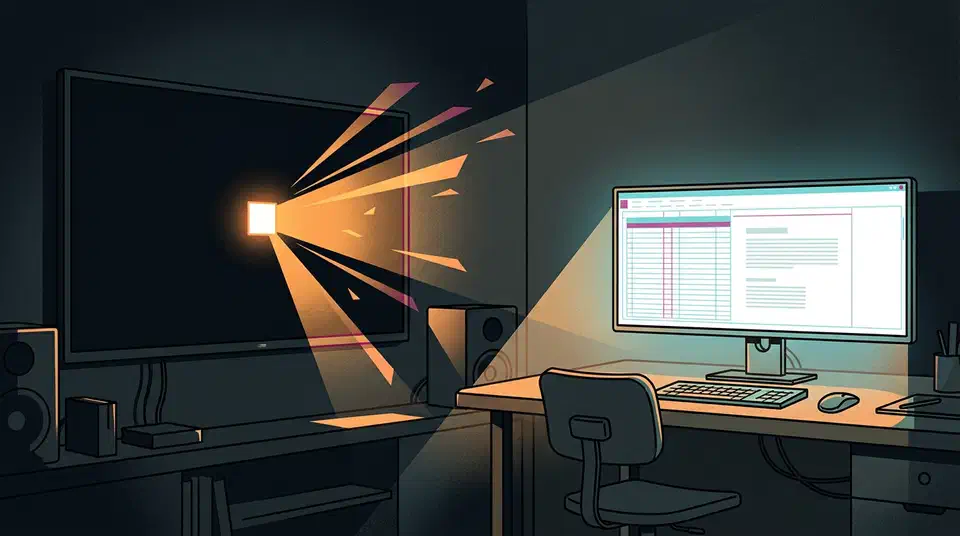
An OLED TV showing a small intense white square beside a desk monitor showing a dimmer full white page

OLED monitors reach 1,500 nits while TVs claim 4,500

OLED monitors peak at 1,500 nits in 2026 while TV panels claim 4,500. See where that gap comes from and what a desk buyer ends up with.

A 27-inch OLED monitor on a designer's desk showing crisp text, with a magnified red-green-blue sub-pixel grid in the corner

220 PPI puts LG's 5K Tandem WOLED into retina territory

LG's 27-inch 5K Tandem WOLED hits 220 PPI by dropping the white sub-pixel, trading peak brightness from 335 nits down to 250 nits at 100% APL.

  • ◀︎
  • 1
  • …
  • 3
  • 4
  • 5
  • 6
  • 7
  • ▶︎

Popular

Alienware AW3926QW on its round base beside the LG 39GX950B on its hexagonal base, both curved ultrawide screens lit against a dark background

The Alienware AW3926QW is $700 cheaper than LG's 39GX950B

Alienware AW3926QW vs LG 39GX950B compared on subpixels, brightness, text sharpness, HDR modes, and a $700 price gap between two 39-inch 5K2K OLEDs.

Two curved Alienware OLED ultrawide monitors side by side on a dark desk, the larger left screen showing a much finer pixel grid than the smaller right screen

Six million pixels separate the AW3926QW from the AW3426DW

Alienware AW3926QW vs AW3426DW compared on panel maker, resolution, refresh rate, screen coating and ports, plus which OLED ultrawide suits your desk.

LG UltraGear evo 27GM950B monitor on a dark desk, screen showing a fiery HDR game scene lighting the keyboard below

2,304 dimming zones sit behind LG's 27GM950B screen

LG 27GM950B has 2,304 dimming zones on a 27-inch 5K mini LED panel. See the zone-per-pixel maths and whether the OLED sibling is the better desk buy.

Two monitors of different pixel density on a desk, one application window sharp on the left screen and stretched into soft blocks on the right

A DPI flag decides whether your Windows 11 apps look sharp

Windows 11 blurry apps come from a DPI awareness flag the app sets at launch. Learn the three modes and how to pick monitors that scale together.

Two curved ultrawide monitors side by side on a desk, the left one gently curved and the right one bending sharply toward the viewer

Dell U4025QW vs LG 39GX950B-B on a Linux coding desk

Dell U4025QW vs LG 39GX950B-B compared on curvature, text sharpness, ports, and price. IPS Black with Thunderbolt 4 against a 165Hz 5K2K OLED.

OLED gaming monitor in a dark room with an uneven brightness waveform pulsing across a near-black night scene

Steady frame rates tame the VRR flicker on OLED monitors

OLED VRR flicker comes from gamma tuned for one refresh rate. Steady frame rates, anti-flicker modes and a high FPS cap cut it down in dark scenes.

Like what you read?

Subscribe to the weekly 7items newsletter and get new posts by email.

2026 7items
Site Newsletter Privacy Policy Terms of Service Contact
Categories Monitor Keyboard Mouse Phone 3D Printing RC Cars