

PTFE skates bring back the glide on a worn Logitech G Pro X2

Mouse skates, PTFE vs UHMWPE, explain why the G Pro X2 Superstrike feels scratchy on cloth. Logitech swapped the Superlight 2’s PTFE feet for tougher UHMWPE, and told reviewers it did so for durability. PTFE has a breakaway friction of 0.05 to 0.10, so a set costing under ten dollars brings the glide back.
Key Takeaways
- The Superstrike ships UHMWPE feet, where the Superlight 2 used PTFE.
- Logitech says the swap buys durability, and reviewers say it costs glide.
- PTFE barely resists the first millimetre of movement, so nothing sticks.
- UHMWPE lasts several times longer, which is why Logitech fitted it.
- A replacement set costs under ten dollars and peels off again.
Why mouse feet decide how a mouse feels
The skates are the only part of a mouse touching the pad, so every flick and micro-correction passes through two small polymer pads. A 60-gram shell and a 44,000 DPI sensor both depend on them.
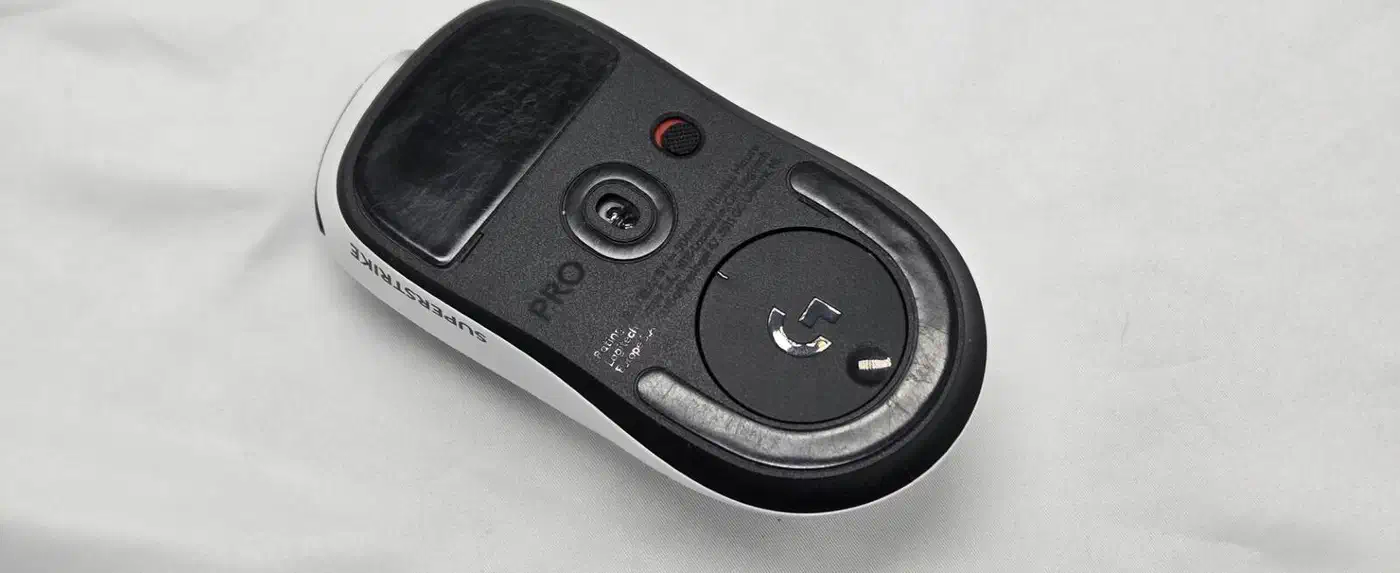
They’re also the part you’re meant to wear out. Sensors don’t degrade, and switches on the G Pro X2 Superstrike have no physical contact at all, so they need power to click. Feet, by contrast, thin out, round off at the edges and start to drag.
What you register as “smooth” is mostly the first millisecond of a movement. Static friction, the resistance to breaking away from a standstill, is what your hand reads as scratchiness, and top speed barely registers next to it.
Mouse skates, PTFE vs UHMWPE material by material
PTFE is the classic mouse-foot polymer. Its useful trick is consistent friction as much as low friction: a materials reference on PTFE friction puts its static coefficient at roughly 0.05 to 0.10 and its dynamic coefficient at 0.04 to 0.08. The two ranges nearly overlap, and that overlap is what prevents stick-slip.
UHMWPE trades that for toughness. Its wear and abrasion resistance is well above PTFE’s, with a higher friction coefficient to match. In a bearing that’s a straight win. Under a mouse, the higher breakaway resistance is what your fingertips notice first.
| Property | PTFE | UHMWPE |
|---|---|---|
| Static friction | ~0.05 to 0.10, very close to dynamic | Higher, with a noticeable breakaway |
| Dynamic friction | ~0.04 to 0.08 | Higher again |
| Wear resistance | Baseline | Much better |
| Break-in | Fast, mostly settled in days | Slower, smooths over weeks |
| Best surface | Cloth and soft pads | Hard, plastic and glass pads |
| Set cost | About $9 to $10 | Usually factory-fitted only |
| Life under heavy use | Several months | Most of a year or more |
Both materials change under use, so first impressions overstate the gap. PTFE polishes quickly and then holds a steady feel until the edges round off. UHMWPE starts rougher and settles down over a few weeks, which is why some owners say the complaint fades over the first month without ever going away.
The pad surface can flip the ranking. On hard plastic or glass, UHMWPE’s edge retention is an advantage and the friction penalty shrinks. On cloth, where the pad’s own weave already adds resistance, PTFE wins clearly. Most Superstrike complaints come from cloth-pad users, and cloth is what most players use.
Why the Superstrike shipped UHMWPE
Logitech changed material between generations. The Superlight 2 shipped PTFE feet; the Superstrike ships UHMWPE, a swap documented in the Superstrike buyer guide alongside the other spec changes. The company’s stated reason:
greater durability and a lighter weight, allowing for longer-lasting performance over time
Longer-lived feet mean fewer warranty conversations and a lower running cost for the owner. UHMWPE delivers both and gives up glide in exchange, which ProSettings noticed in its review:
In terms of glide, they’re quite slow. For me, that’s okay because I like a more controlling setup, but if you’re someone who likes slick and/or faster skates, you will absolutely want to look at aftermarket options.
Gaming Nexus noticed the underside enough to describe the two skates by shape, and threads on r/MouseReview and r/LogitechG raise the same complaint often enough to look like the design rather than a bad batch.
Nobody has published a measured friction test on these specific feet against a named pad. Every report, the reviewers’ included, is subjective. The material properties are solid; how big the difference in feel is remains an open question.
The fix, and what it costs
A PTFE replacement set restores the older feel in about two minutes. Corepad’s Skatez PRO 280 lists the Superstrike shell explicitly and uses 0.80 mm pure PTFE on a 3M backing, at €9.49. X-raypad’s Jade set covers the same shell for $9.99, and warns off glass pads.
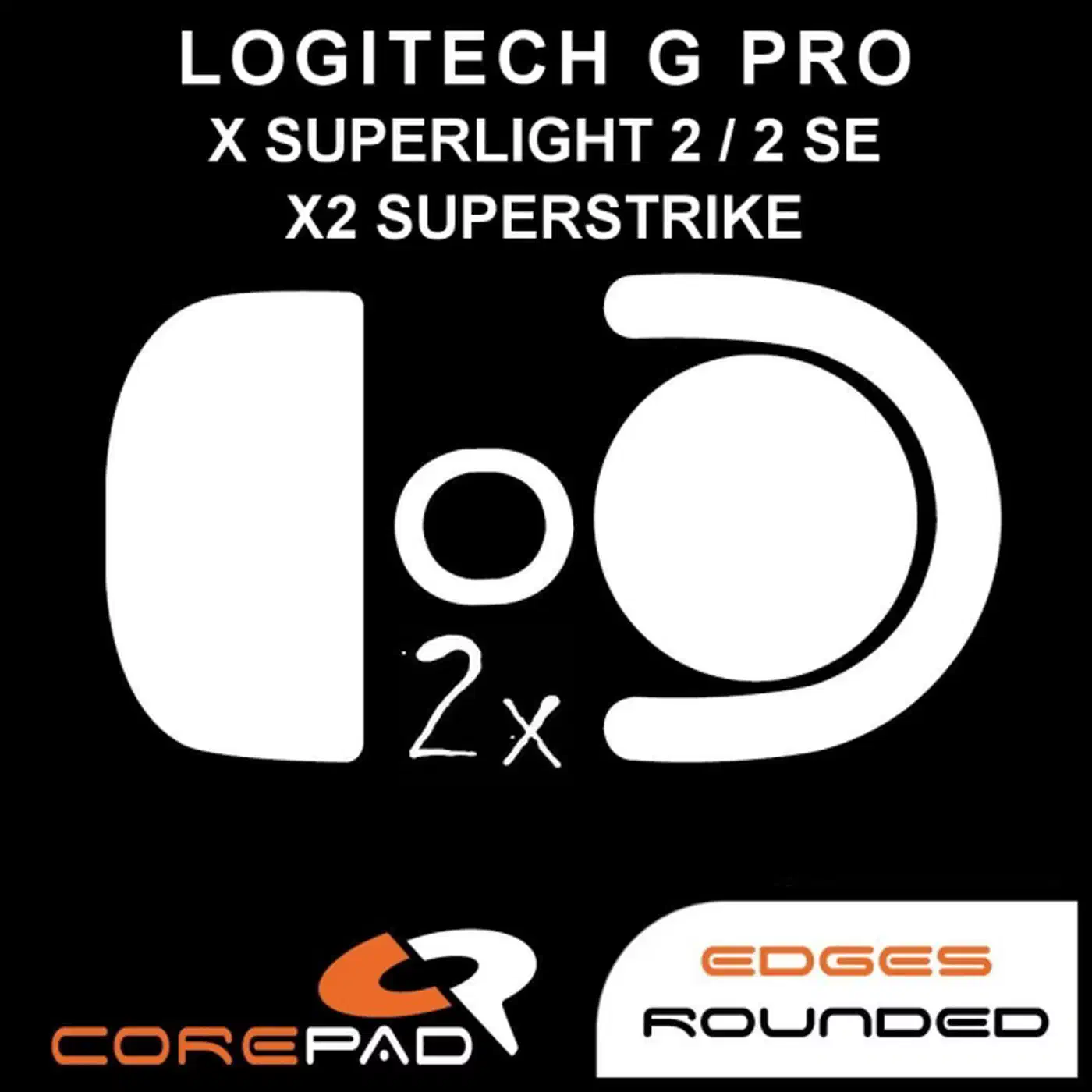
Fitting means peeling the old feet off, wiping the residue away with isopropyl alcohol, then aligning the new ones and pressing them down. You don’t open the shell, and no warranty term covers the feet, so you can go back if you decide you preferred the control.
You get lower breakaway resistance, a quieter slide and a slightly faster glide, and you pay for them with more frequent replacements. Heavy daily play wears a PTFE set out in months rather than most of a year:
| Material | Set cost | Expected life | Cost per month |
|---|---|---|---|
| Stock UHMWPE | Included | 12 months plus | Effectively zero |
| Replacement PTFE | About $10 | 4 to 6 months | Roughly $2 |
If the stock feet already suit your grip, leave them alone and let the extra weeks of break-in do their work.