

A Viper V4 Pro at 2,000Hz feels the same as at 8,000Hz


The 8000Hz vs 2000Hz polling latency gap is 0.375ms, and against 1000Hz the whole jump to 8000Hz buys 0.875ms. That sits inside a click-to-photon chain measured at 13.8ms on a tuned rig and 50 to 100ms on a normal one. Drawn to scale, 2000Hz is the sensible tier.
Key Takeaways
- At 1000Hz your mouse reports every millisecond; at 8000Hz, every eighth of one.
- The whole gain is 0.875ms, inside a chain that runs to tens of milliseconds.
- 2000Hz grabs most of that gain for a fraction of the CPU load.
- 8000Hz now ships switched on, so the real question is whether to leave it.
- Your CPU and frame rate decide the right tier for you.
8000Hz vs 2000Hz polling latency, drawn to scale
Polling rate is how often your mouse hands its accumulated position to the PC. A polling rate explainer from DCProSens lays out the arithmetic. 1000Hz sends one update every 1ms, 2000Hz every 0.5ms, 4000Hz every 0.25ms, and 8000Hz every 0.125ms.
Everything else in the chain is set by other parts of your machine. TFTCentral measured a full click-to-photon run in Fortnite using NVIDIA’s LDAT hardware. That rig starts its clock at the electrical contact closure inside the mouse and stops when screen brightness rises by 6%. On an RTX 3080 and a 360Hz panel the whole loop came to 13.8ms, of which the mouse itself accounted for 0.8ms.
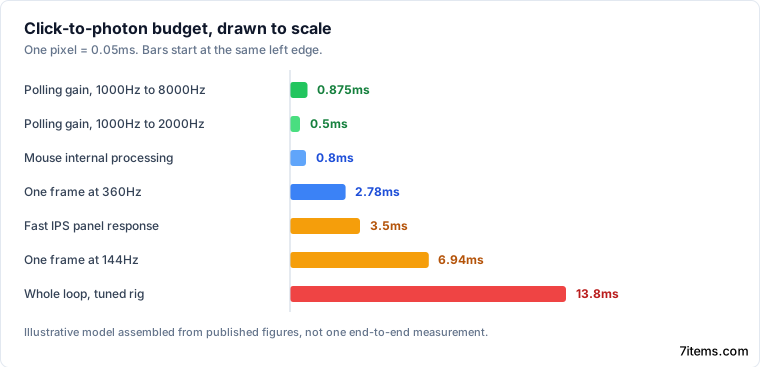
The chain below is an illustrative model assembled from separate published measurements rather than one end-to-end test.
| Stage | Typical time | Where the figure comes from |
|---|---|---|
| Click and mouse internal processing | 0.8ms | TFTCentral LDAT testing |
| Polling wait at 1000Hz | 0 to 1ms, 0.5ms on average | DCProSens interval maths |
| Polling wait at 8000Hz | 0 to 0.125ms, 0.06ms on average | DCProSens interval maths |
| Game, render and display pipeline | 13ms combined | TFTCentral LDAT testing |
| One frame at 144Hz | 6.94ms | Respawno’s polling assessment |
| One frame at 360Hz | 2.78ms | Respawno’s polling assessment |
| Panel response, fast IPS | about 3.5ms | measured panel response times |
| Panel response, OLED | about 0.03ms | measured panel response times |
| Whole loop, tuned rig | 13.8ms | TFTCentral LDAT testing |
| Whole loop, typical gamer | 50 to 100ms | NVIDIA’s Reflex briefing |
Your click lands at a random point in the polling interval, so the fair figure is the average wait, which puts the 1000Hz cost at about 0.5ms. A “1ms” fast IPS panel really turns pixels over in about 3.5ms, four times the entire gain from an eightfold polling increase.
Human reaction sits outside this loop, because it happens before the click, but it sets the scale. A reference compilation of reaction-time research puts typical visual reaction at about 250ms, citing Kosinski’s Clemson literature review. The polling gain is roughly a three-hundredth of that.
Is 8000Hz polling worth it?
The gain is real and measurable, so nobody should call it a placebo. Respawno recommends switching 8000Hz on above 240 frames per second, on a current CPU and a 360Hz or faster panel. Below that line it is a cost with no return.
The mechanism behind that split is frame freshness. At 360Hz a frame arrives every 2.78ms, so 1ms of stale cursor position is about a third of a frame. At 144Hz a frame arrives every 6.94ms and the same 1ms was never the limiting factor. DCProSens found the same boundary in controlled testing: no significant accuracy difference on 240Hz panels, and a 2 to 4% gain in micro-movement tracking from 4000Hz on 360Hz panels.
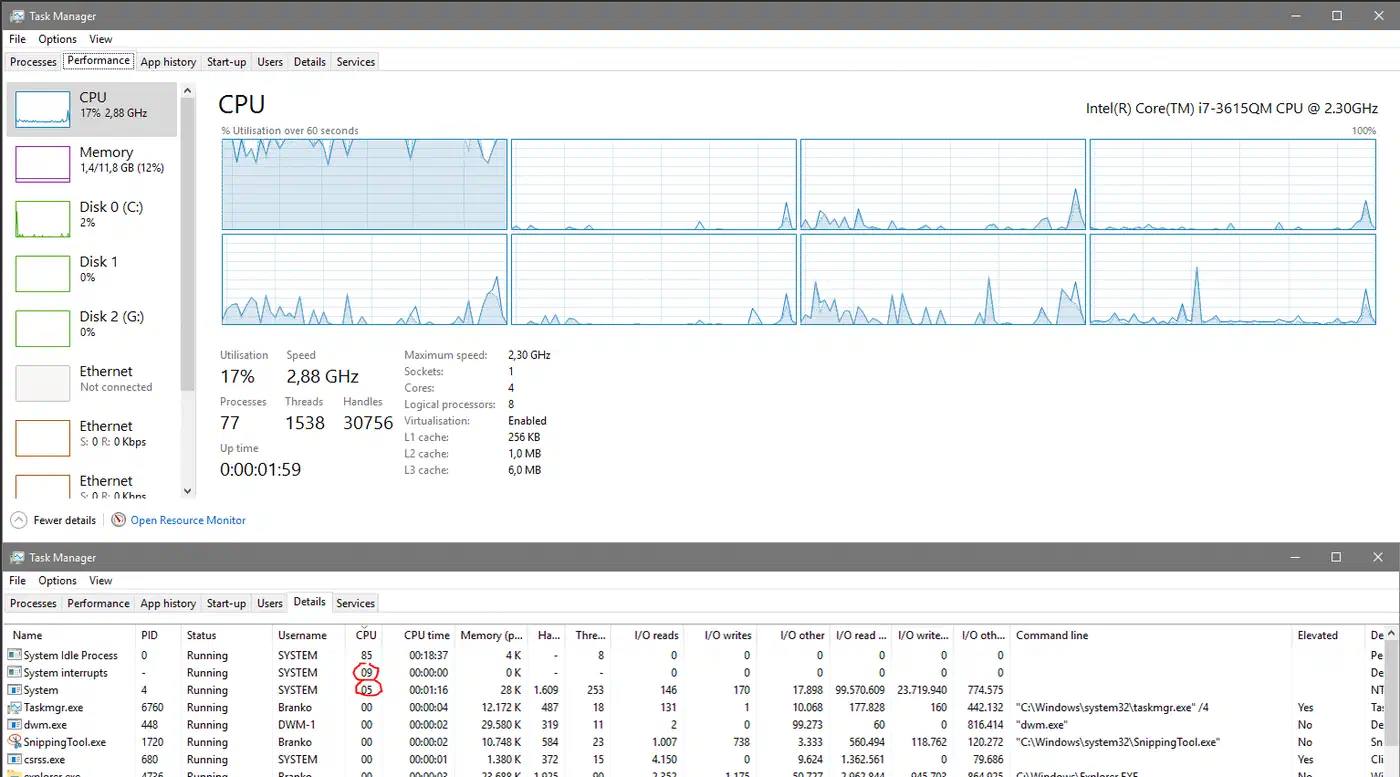
Razer puts the extra CPU load at roughly 1 to 3% on modern hardware. That figure understates it for anyone on an older chip, where 8,000Hz polling can eat 5 to 10 percent of a Ryzen 5 5600X . The CPU is servicing 8000 interrupts a second instead of 1000. On a CPU-bound game the damage lands in your 1% lows while the average frame rate barely moves, so an average-FPS comparison misses it entirely.
Everyone else is buying a 0.875ms improvement with CPU time they may need more.
Why 2000Hz is the tier nobody uses
Doubling the polling rate halves the interval, so every doubling saves less than the one before it.
| Polling rate | Report interval | Saved over previous tier | Saved over 1000Hz | Reports per second |
|---|---|---|---|---|
| 1000Hz | 1ms | baseline | baseline | 1,000 |
| 2000Hz | 0.5ms | 0.5ms | 0.5ms | 2,000 |
| 4000Hz | 0.25ms | 0.25ms | 0.75ms | 4,000 |
| 8000Hz | 0.125ms | 0.125ms | 0.875ms | 8,000 |
2000Hz collects 57% of the total available gain while only doubling the interrupt load. No vendor publishes a CPU figure for the 2000Hz and 4000Hz tiers, so the interrupt count is the only proxy on offer. Respawno describes the middle tiers as roughly half the interrupt load for most of the benefit.
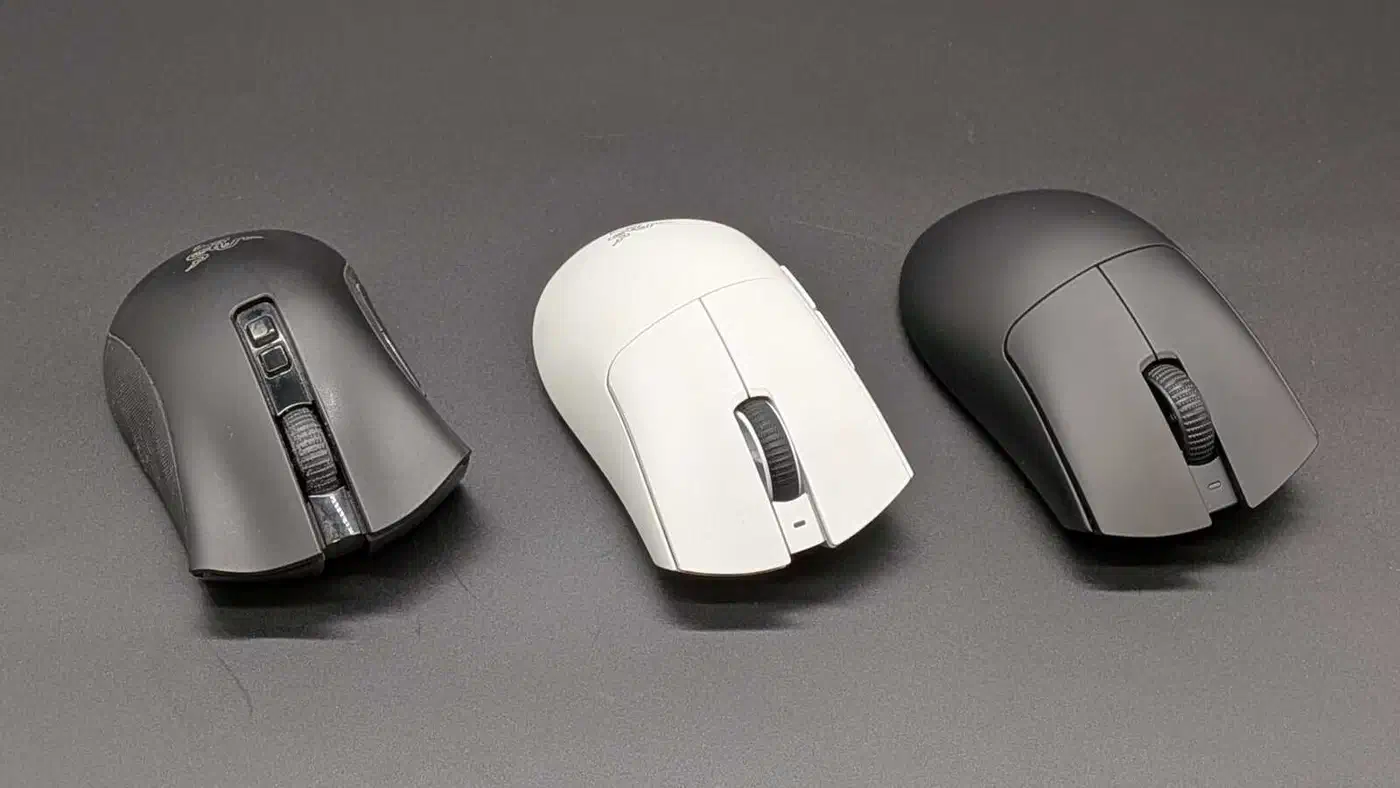
8000Hz is now the factory default across 2026 flagships, including Razer’s Viper V4 Pro . Most owners never switched it on themselves, so their real decision is whether to turn it down. That usually needs the vendor app, which is worth knowing before you buy, alongside what the mouse does unpowered .
Wireless owners have a second reason to turn it down, because transmitting eight times as often cuts battery life by far more than the CPU figure suggests. Razer rates the same mouse at 180 hours at 1,000Hz and 44 at 8,000Hz . The HyperPolling dongle also has to go straight into the PC. A hub or a monitor passthrough will drop to a lower effective rate without telling you.
Run 8000Hz on a current CPU holding 240 frames per second on a 360Hz or faster panel. Run 2000Hz on a 165Hz or 240Hz panel with a strong CPU, which covers most enthusiast machines. Stay at 1000Hz on 144Hz, on any CPU-bound game, and on Ryzen 3000 or Intel 9th generation chips. On those older platforms the interrupt overhead can produce micro-stutter that outweighs the latency it saves.
Where the polling argument goes wrong
Most polling arguments compare a real gain against nothing, and against zero 0.875ms looks like an eightfold improvement. Set beside a 3.5ms panel and a 6.94ms frame, it is a rounding error you paid CPU time for.
No widely cited blind test with a published sample size compares 1000Hz against 8000Hz. DCProSens describes 50 hours of internal testing on 360Hz panels, but the protocol is not published in a form anyone can repeat. Professional player settings get quoted constantly in threads on r/MouseReview , almost always with no source attached.
You can settle it on your own machine in about ten minutes. Pick one repeatable 60-second scene, record average and 1% lows at 1000Hz, change only the polling rate, and run the identical scene again. Compare the 1% lows first, because that is where interrupt overhead shows up while the average stays flat.
NVIDIA’s own research timed players acquiring a target on a 12ms PC and a 20ms PC. The 8ms gap changed aiming task completion by 182ms, roughly 22 times the latency difference itself. An 8ms cut to your display or your frame time is worth about nine times the entire polling jump, and it costs no CPU headroom at all.