

One 52-inch Dell U5226KW replaces a three-monitor setup


The Dell U5226KW is a 52-inch curved 6K monitor sold as a three-screen replacement. Dell counts 61,000 more pixels than two 27-inch QHD screens plus a 43-inch 4K, at 129 PPI. The limiting spec is contrast, rated at 2000:1 and measured at 1926:1.
Key Takeaways
- The U5226KW is a 52-inch curved 6K screen in a wide 21:9 shape.
- It beats a three-monitor stack by 61,000 pixels, under half a percent.
- Text stays sharp at 129 PPI, so no scaling is needed.
- One cable charges your laptop and switches between four PCs.
- Weak 2000:1 contrast rules it out for HDR photo and video work.
What the Dell U5226KW replaces on a desk
The UltraSharp 52 Thunderbolt Hub Monitor is a slightly curved 52-inch LCD running 6144x2560 in a 21:9 shape. Dell calls it the first of its kind, and FlatpanelsHD’s report on Dell’s 2026 monitors backs that framing. The panel measures 51.5 inches across, so the “52” in the name is a rounding.
Dell benchmarks it against a specific stack: two 27-inch QHD monitors plus one 43-inch 4K. Against that trio, TechPowerUp’s CES 2026 UltraSharp writeup reports 61,000 more pixels and 25% higher pixel density, in less physical space.
| Setup | Total pixels | Pixel density |
|---|---|---|
| Two 27-inch QHD | 7,372,800 | 109 PPI |
| One 43-inch 4K | 8,294,400 | 102 PPI |
| Three screens combined | 15,667,200 | mixed |
| Dell U5226KW | 15,728,640 | 129 PPI |
The 61,000-pixel lead works out to 0.4%, a rounding error, so buy this screen for density, not pixel count. Every window gets 129 PPI instead of scattering across three panels and landing on bezels.
Three screens mean two seams, plus a stand, a cable and a colour profile for each panel. One continuous surface has no seams and needs one of each.
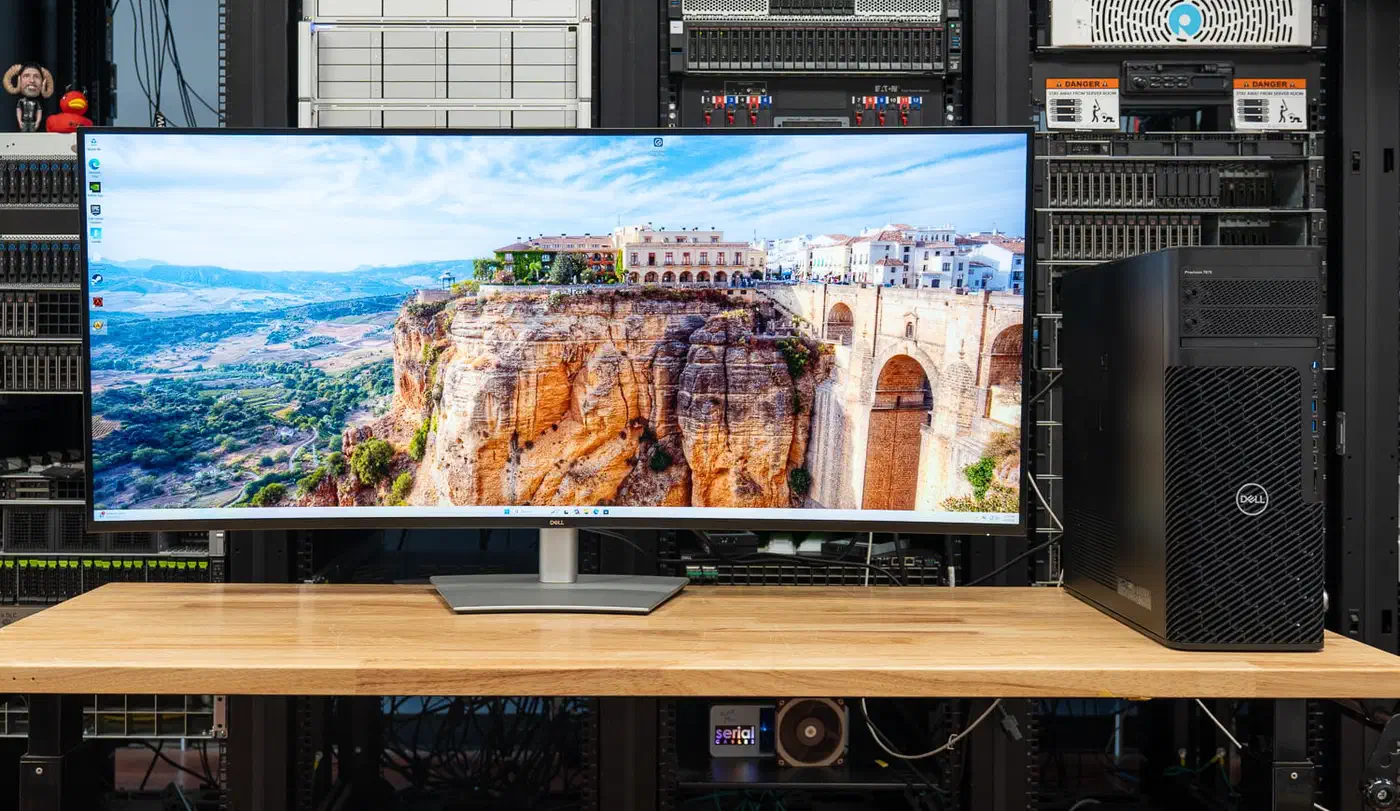
It launched in 2026 at $2,900, and TFTCentral’s review lists it at $2,899.99 in the US and £2,571.60 in the UK. Three good 27-inch panels cost less, so you are paying for the seamlessness. Samsung is pushing 6K somewhere stranger, adding glasses-free 3D to a curved gaming panel.
One cable, four PCs and a built-in KVM
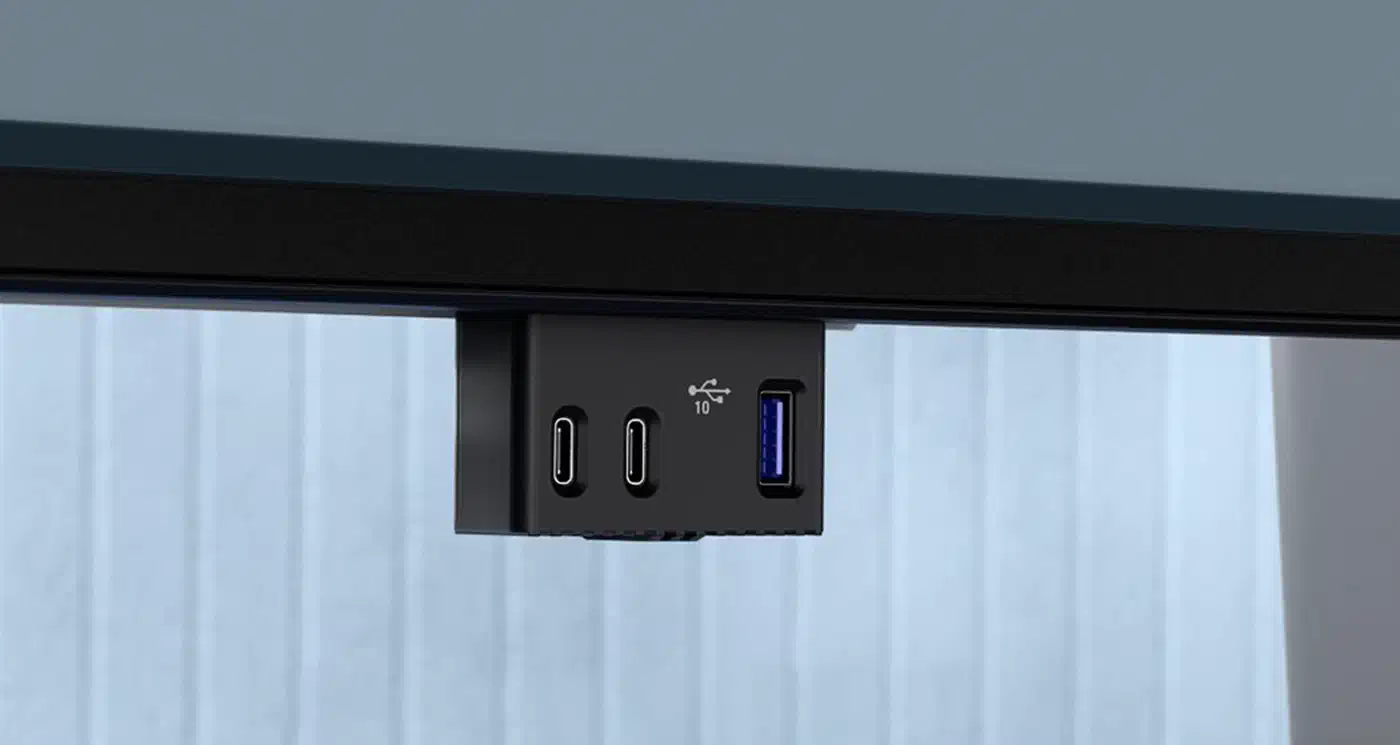
A single Thunderbolt 4 connection carries video, data and 140W of laptop charging, on both Windows and macOS. TechPowerUp confirms the 140W figure. StorageReview’s hands-on with the panel adds that it uses the Extended Power Range spec, which covers laptops drawing over 100W. A pop-out section under the panel adds two 27W USB-C ports and a USB-A port with BC1.2 charging for quick plugging.
Dell pairs picture-by-picture with an internal multi-stream transport, so each partition behaves as its own monitor. The built-in KVM then drives all of them from one keyboard and mouse.
Split the panel four ways and each quarter runs 3072x1280 at 120Hz, per TFTCentral, which leaves each machine a full working desktop.
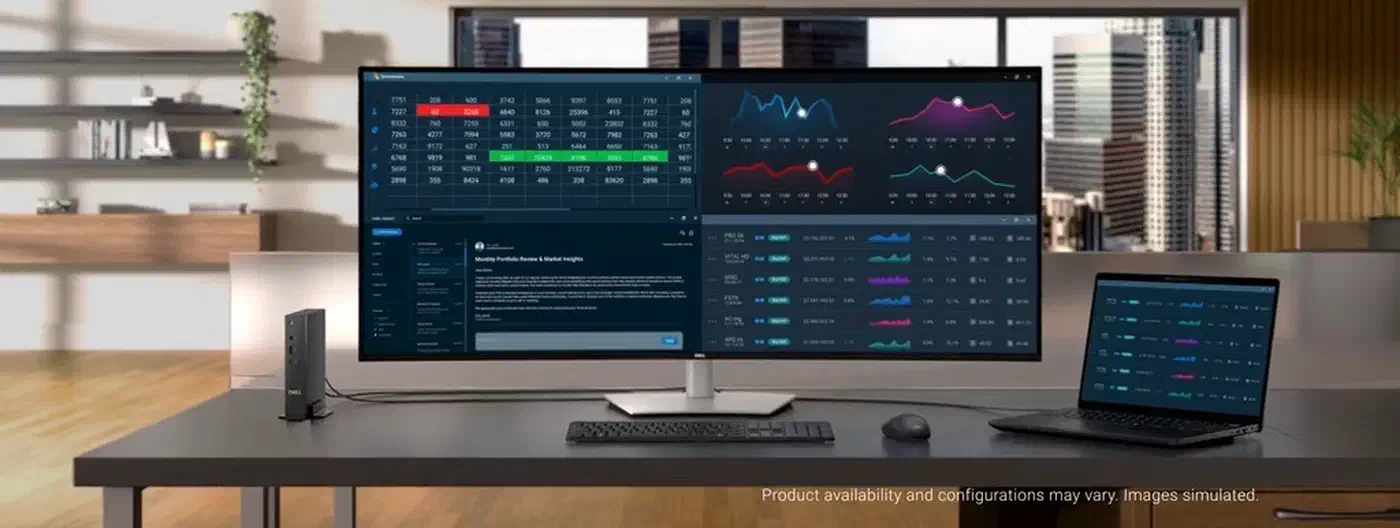
TFTCentral describes an Auto KVM function that runs from the monitor’s own menu. A work laptop and a personal desktop can therefore share the screen with no Dell software running in the background.
Video inputs run to two DisplayPort 1.4 ports, two HDMI 2.1 ports and the Thunderbolt 4 port, plus 2.5 Gigabit Ethernet. FlatpanelsHD specifies 120Hz at the full 6144x2560 through one of the two HDMI 2.1 ports. No connector on this monitor can carry 6144x2560 at 120Hz uncompressed. Display stream compression handles the shortfall on every input, and no reviewer has published a test of what that costs. A future Ultra96 HDMI cable would carry more of that signal before compression kicks in.

HDR photo and video work is out of reach
FlatpanelsHD points straight at the contrast ratio:
The monitor uses an ‘IPS Black’ LCD panel with a 2000:1 contrast ratio. This low contrast prevents work with video and photos in HDR.
TFTCentral’s measurements agree with the spec sheet, recording 1926:1 average contrast, close to the rated 2000:1 and strong for an IPS panel. Brightness topped out at 367 nits against a claimed 400.
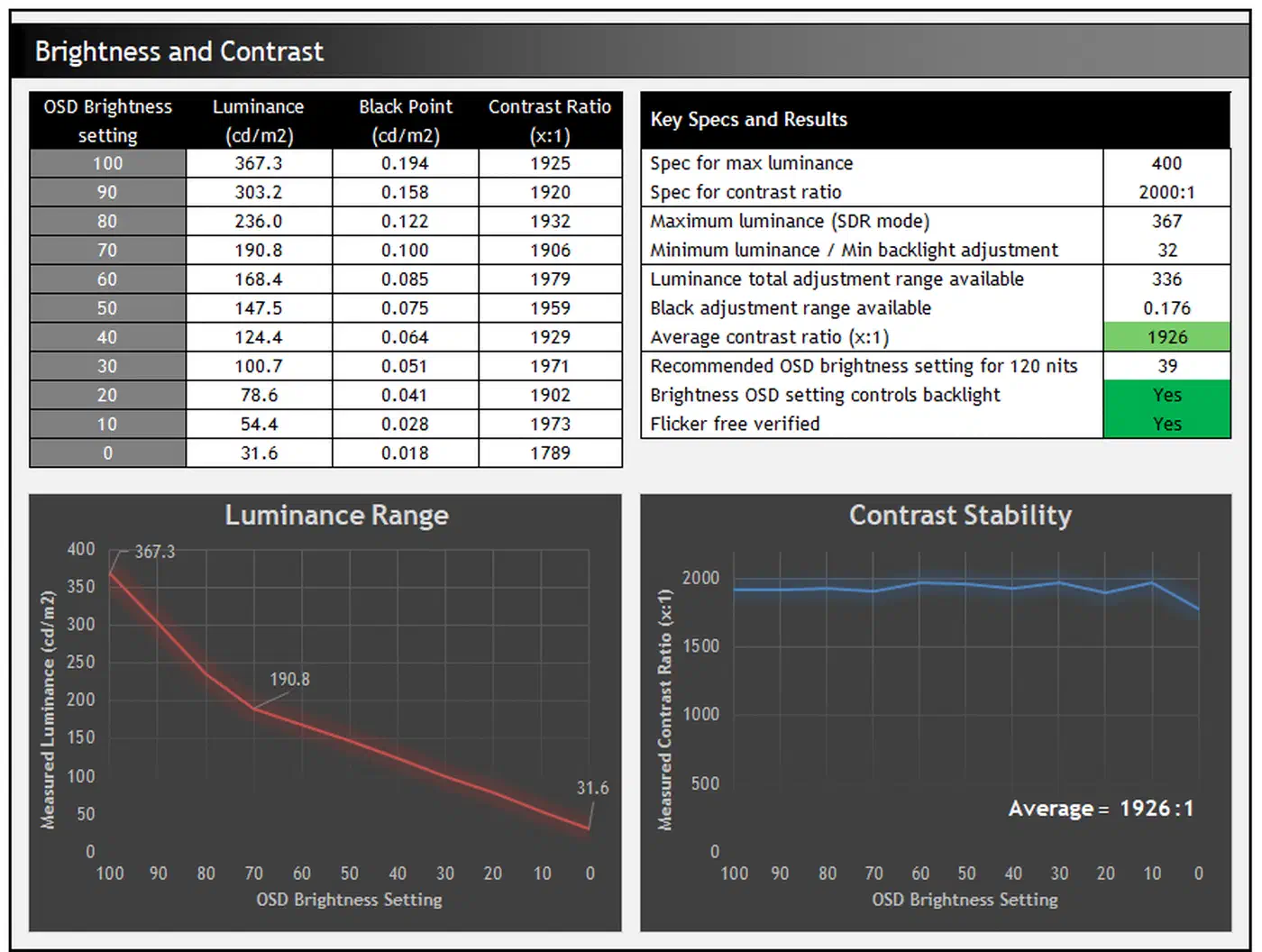
An OLED reaches effectively infinite contrast, so blacks on the Dell lift toward dark grey by comparison. Grading, colour-critical review and any HDR mastering belong on a different screen.
Colour accuracy holds up far better than black level. The panel covers 99% DCI-P3 and 100% sRGB, with factory calibration inside Delta E 1.5.
TFTCentral calls the pixel response slow and notes overshoot in the faster overdrive mode. Gamers should look elsewhere. For office work the 120Hz still helps, since scrolling and window dragging feel smoother than on the 60Hz panels this replaces.
Who should buy the U5226KW
Developers, analysts and traders get the most from it, because their day is spread across terminals, spreadsheets and reference documents. A single 6K surface with laptop charging and a built-in KVM suits that kind of desk.
Photo and video editors should read the 2000:1 figure as a hard no.
At 129 PPI the U5226KW falls between a 27-inch QHD (109 PPI) and a 32-inch 4K (138 PPI), so scaling is not a worry. StorageReview reports text and interface elements looking sharp at native scaling.
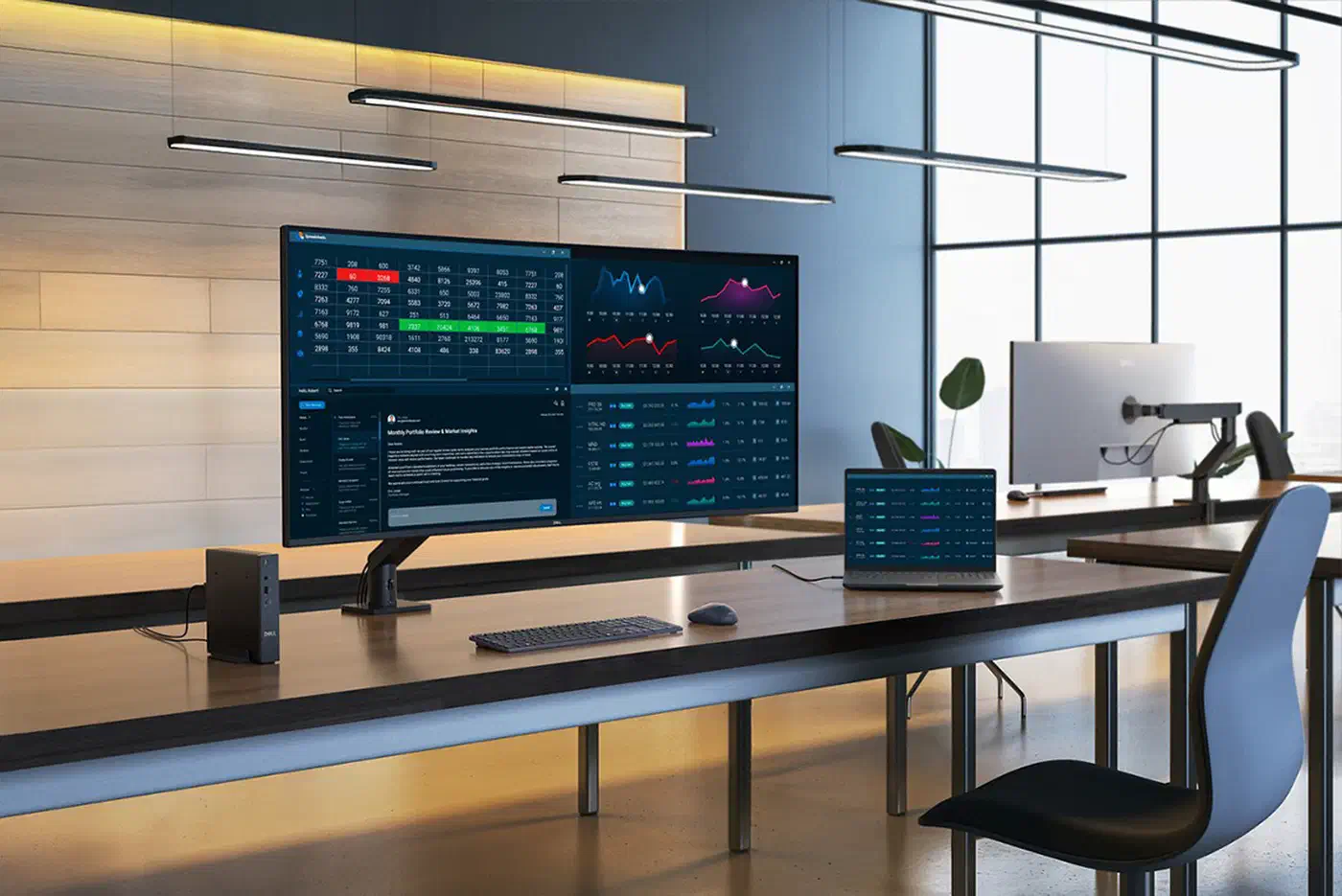
The 6K ultrawide resolution is very well suited to this screen size with a comfortable text size, no need for any OS scaling, and a sharp and clear image.
Ergonomics are a personal call. The curve is a gentle 4200R, and TFTCentral would have preferred something steeper for comfort at this width. With two angled screens you set your own toe-in, which a fixed curve takes away, and nobody has tested the two arrangements head to head.