

LG's UltraGear monitor installs McAfee adware on its own

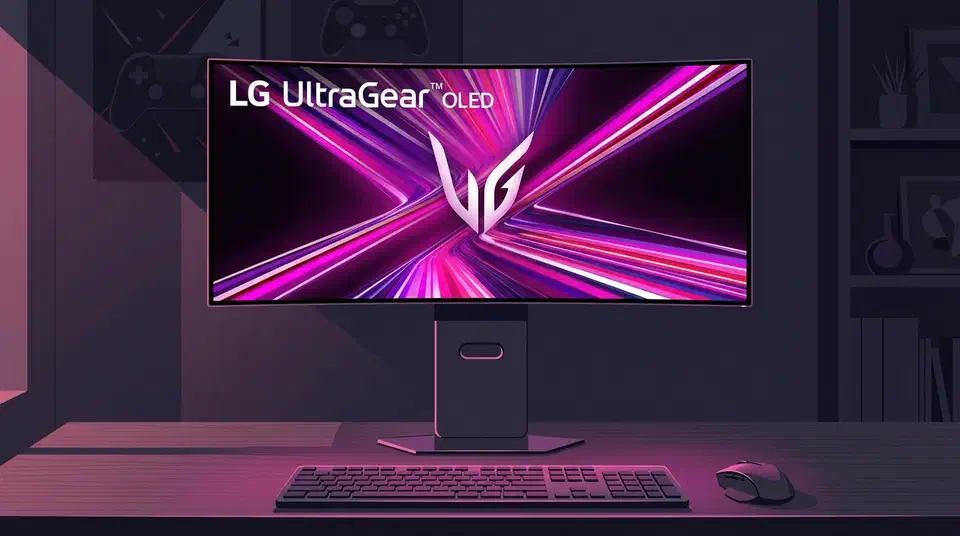
Plug in an LG UltraGear monitor and it can install McAfee adware on its own, with no consent prompt anywhere. When Gamers Nexus tested a $1,200 34GX900A-B, the McAfee pop-up showed up on 31 of 32 boots, about 97 percent of the time.
Key Takeaways
- Plugging in an LG UltraGear monitor can install McAfee adware by itself.
- No consent screen shows up before or after the install.
- The LG installer grants itself full system access and an internet connection.
- LG TVs track what you watch and sell profiles built from it.
- Texas sued LG and four other TV makers over the tracking.
What is the LG Monitor App Installer?
The LG Monitor App Installer is a small background program. It lands on your PC through Windows Update the moment a supported LG monitor connects. In the Gamers Nexus test, Windows Reliability Monitor showed it installing one minute after the driver update finished. No pop-up asked for permission, and no consent screen ever appeared.
It runs on startup and sits in the background. Because of that, many owners never spot it in the “recently added” tag of the Start menu. Its stated job is to install other LG monitor apps.
In practice, the installer mostly serves ads. On nearly every boot it pushes a 30-day McAfee trial. The pop-up came back again and again across the recorded boots.
The problem is not limited to one new model either. Owners report the same pop-up across several UltraGear monitors. One person’s 2023 UltraFine 32UN880-B started showing it three years after purchase. A plain Windows update was all it took.
Why does a monitor need “all system resources”?
Its Microsoft Store page grants the app the right to use “all system resources” and to “access your internet connection.” That is a strange amount of reach for a display. A monitor is a passive peripheral with no reason to touch the rest of your machine.
The linked terms go further. LG’s privacy policy lets it collect your location, device data, online activity, contacts, logins, and payment data. As the Gizmodo report notes, the policy says LG can track “device usage data and online activity, including what sites you visit and what activities you do on those sites.”
None of this consent showed up during install or first launch in the Gamers Nexus test. The app installed and ran. By its own terms it can collect data while you have no idea it exists. In a statement to Kotaku , LG denied any silent behavior.
McAfee is not installed automatically and is never installed without the user’s explicit consent
Reviewers reproduced the silent install by simply plugging the monitor in.
How do I stop LG apps from auto-installing?
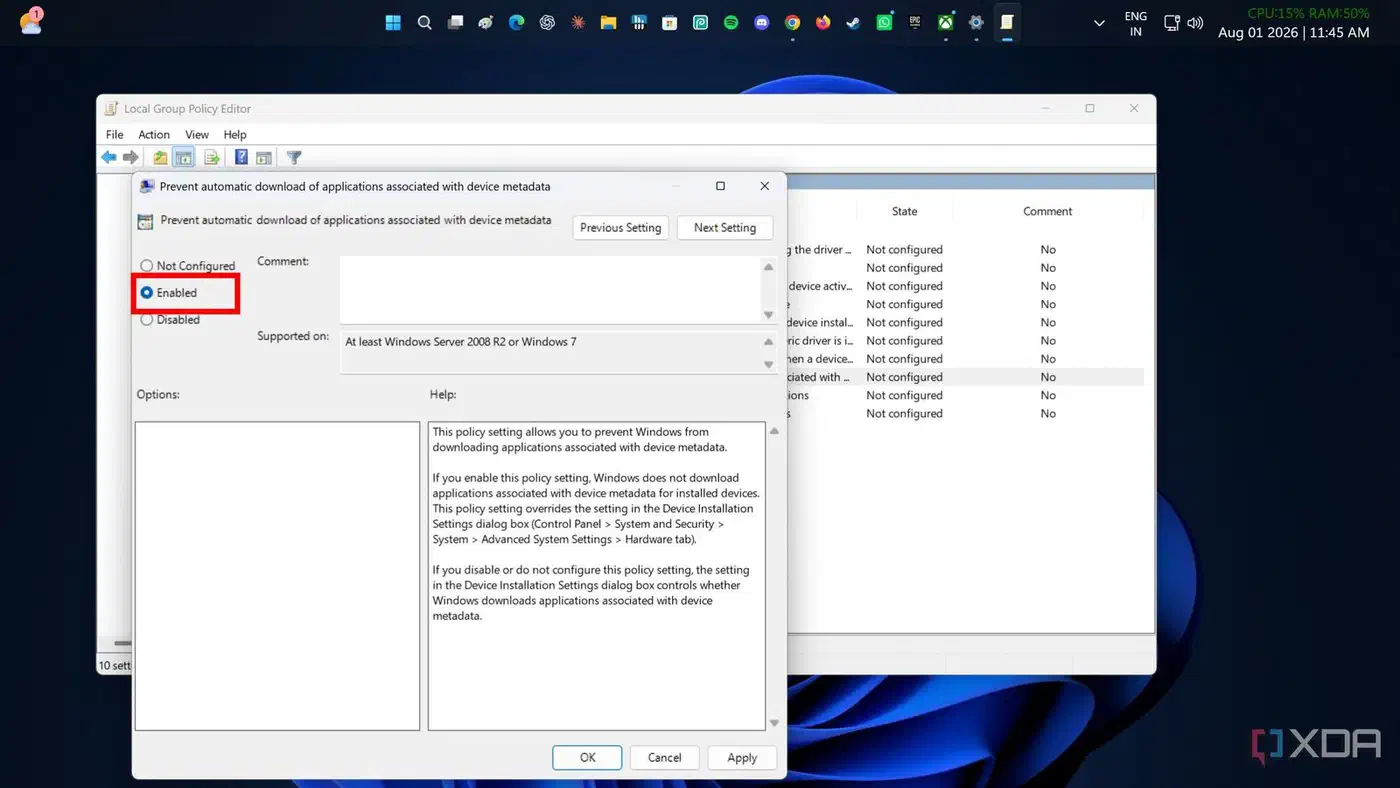
The fix lives in Windows Group Policy. There you can block the metadata-driven auto-installs that let apps like this one appear on their own. Gamers Nexus verified the block stops the install. Still, the team flagged that the steps are far from obvious for someone who just wanted to plug in a screen.
A few extra moves help too. Uninstall the LG Monitor App Installer if it is already on your PC. Then disconnect any LG smart TVs and monitors from the internet where you can. The framing question from the video is fair: why should anyone have to do this just to use a display?
The “everyone does it” defense also holds up less well than LG implies. Pre-built PC makers have bundled bloatware for years. However, Alienware switched to opt-in installs and dropped its McAfee ads, it told Gizmodo. So the practice is not fixed in stone.
Block LG apps from auto-installing on Windows 11
These steps use Windows Group Policy to stop metadata-driven apps from installing themselves when you connect a monitor.
Open the Local Group Policy Editor
Press the Windows key, type “edit group policy”, and open the result. This launches gpedit.msc.
Navigate to Device Installation
Expand Computer Configuration, then Administrative Templates, then System, then Device Installation.
Enable the metadata block
Double-click “Prevent automatic download of applications associated with device metadata”, set it to Enabled, then click Apply and OK.
Remove any installer already present
Open Settings, then Apps, find “LG Monitor App Installer”, and uninstall it so it stops running on startup.
Confirm the pop-up is gone
Restart the PC with the LG monitor connected and check that the McAfee trial pop-up no longer appears at boot.
What is LG’s smart TV doing with your data?
The monitor adware is annoying. LG’s smart TVs are a bigger problem, because they harvest what you watch. Texas Attorney General Ken Paxton sued LG and four other TV makers over a feature called Automatic Content Recognition. The suit says it can screenshot the TV screen every 500 milliseconds and track viewing in real time. That data goes back without consent. LG then sells it to target ads.
This isn’t a glitch or a side effect. It’s deliberate. LG harvests this data, builds profiles of consumers’ behavior, and sells it for profit.
The suit names the five biggest TV brands: Sony, Samsung, LG, Hisense, and TCL. LG has since settled and agreed to add an opt-out pop-up. Its terms have kept pushing, though. A webOS update added “AI-based service terms” with fine print that shifts the burden onto you. LG makes you warn household members and guests that their voices may be captured, “in compliance with applicable wiretapping, eavesdropping, and privacy laws.” The same update warns that declining it may limit “security-related updates.”
LG has done versions of this for over a decade. In 2013, a researcher found his LG TV kept sending viewing data after he opted out. Only a hidden flag flipped from 1 to 0. In 2024, LG put ads in TV screensavers on sets going back years. Then it force-installed a Microsoft Copilot service on TVs people already owned.
we can’t recommend buying any LG products right now
The verdict on LG UltraGear monitors and the adware
An LG UltraGear panel is still a good screen, whether you want LG’s 5K mini LED screen or one of the ultrawides. The software wrapped around it is the trouble. If the adware puts you off LG, rivals cover the same ground, like the Alienware AW3926QW or the Dell U4025QW on a Linux desk . If you own one, run the Group Policy block above and pull the installer off your PC. Keep any LG TV off the internet unless you need its apps. Those steps put you back in control of a device that shipped trying to take it.