

2,304 dimming zones sit behind LG's 27GM950B screen

LG’s 27GM950B puts 2,304 dimming zones behind a 27-inch 5K screen. Each zone covers exactly 80 by 80 pixels, a square about 9.3mm wide. That pitch should produce halos around white text on black, and RTINGS found almost none.
Key Takeaways
- Each of the 2,304 zones lights an 80 by 80 pixel square.
- That square is roughly 9.3mm wide, about five lines of terminal text.
- Testers still saw very little haloing around bright objects.
- The real flaw is the screen dimming itself after three minutes.
- At $1,199 it undercuts the OLED sibling in the same family by $600.
What 2,304 dimming zones buy you at 218 PPI
The panel is 27 inches at 5120 by 2880, or about 218 pixels per inch. Behind it sit a Hyper Mini LED backlight and 2,304 local dimming zones, per the Tom’s Hardware report on the UltraGear evo lineup .
The screen holds 14,745,600 pixels. Split across 2,304 zones, each zone controls exactly 6,400 pixels. The grid is 64 zones wide by 36 tall, which lands on a clean 80 by 80 pixel square per zone.
In physical terms, a 27-inch 16:9 panel measures roughly 598mm by 336mm of active glass. Divide by 64 and 36 and you get a zone 9.3mm on a side, about the width of a pencil.
Your mouse cursor is 32 pixels tall, or 3.7mm at this density. It fits inside a single zone with room to spare. A line of 16-pixel terminal text is under 2mm tall, so one zone spans about five stacked lines of code.
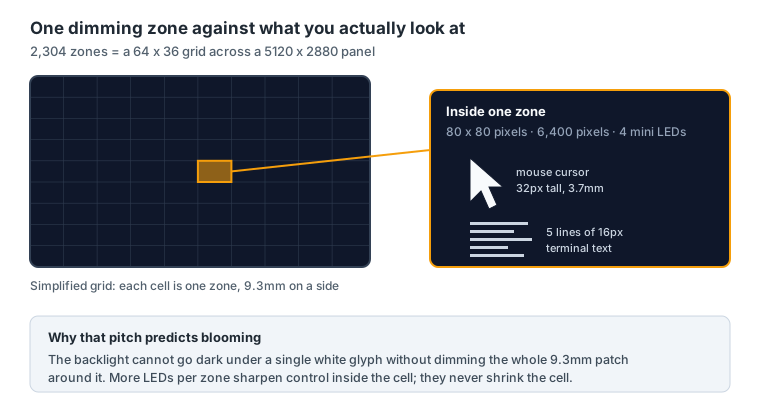
Blooming comes straight out of that. The backlight cannot go dark under one white glyph without dimming the whole 9.3mm patch around it. LG packs 9,216 mini LEDs into the array, four per zone. More LEDs give finer control inside a zone, but they do nothing to shrink the zone itself.
How many dimming zones does a monitor need?
Raw zone count on its own tells you little. What decides the halo is zone pitch set against the size of the bright things you look at, which is why subtitles and mouse pointers on a dark desktop cause trouble while a full-screen explosion does not.
Dividing the zone count by panel area puts different sizes on the same scale:
| Monitor | Panel | Zones | Zones per cm² |
|---|---|---|---|
| LG 27GM950B | 27-inch 5K mini LED | 2,304 | 1.15 |
| MSI MPG 271KRAW18 | 27-inch 5K mini LED | 2,304 | 1.15 |
| LG 27GR95UM | 27-inch 4K mini LED | 1,536 | 0.76 |
| LG 39GX950B | 39-inch 5K2K OLED | per pixel | 3,114 |
A self-lit OLED panel beats the best backlight by about three thousand times, because every pixel dims on its own.
Mini LED still wins where OLED struggles. It holds full-screen brightness all day with no limiter, carries no burn-in risk on a fixed taskbar, and costs less per inch. The losses come on bright-on-black screens, which is most of a working day.
Reviewers found minimal halos and one real flaw
RTINGS scored the 27GM950B at 8.1 and reported deep blacks with minimal haloing around bright objects, plus sharp text and images. The measured halo behaviour is better than the zone pitch suggests it should be.
LG shortened the gap between the LED layer and the LCD above it, a build it calls Zero Optical Distance. TUV Rheinland gave the result its Anti-Blooming mark. A tighter stack spreads less light sideways, so a lit zone bleeds less into its dark neighbours.
it’s not perfect, as local dimming can’t sustain its high brightness for more than three minutes, so the screen is dimmer after a certain period.
Flipping the feature off and on restores full brightness, which points at firmware rather than the panel. Contrast is poor with local dimming switched off, as it is on any IPS panel, and the image washes out at wide angles. TFTCentral also put the panel on its bench as the first 5K dual-mode mini LED it has tested.
Dual Mode gives you two monitors and one compromise
Dual Mode swaps 5K at 165Hz for QHD at 330Hz on the same glass. Both modes carry a 1ms grey-to-grey rating, DisplayHDR 1000 and peak brightness up to 1,250 nits. Switching does not need a restart.
QHD is 2560 by 1440, exactly half of 5120 by 2880 on each axis. So every QHD pixel maps onto a clean 2 by 2 block of real pixels. Most dual-mode screens scale by an ugly fraction and smear text, so any softness here comes from the lower resolution alone.
Bandwidth is tighter than the easy mode switch suggests. Uncompressed 5K at 165Hz in 10-bit colour needs roughly 75 Gbps of pixel data. The DisplayPort 2.1 UHBR20 port here carries about 77.5 Gbps, so the headroom is around 3%. Anything below UHBR20 falls back on DSC.
The rest of the connectivity is generous, with two HDMI 2.1 inputs, USB-C carrying 90W of power, G-SYNC support and FreeSync Premium Pro. Shooter players will live in QHD, and everyone else will set 5K once and never touch the menu again.
Price, availability and the rest of the UltraGear evo lineup
LG opened US pre-orders at $1,199.99 and started shipping in 2026, per The Gadgeteer’s write-up of the GM9 launch . Early buyers also got a two-year LG Premium Care extension for a dollar.
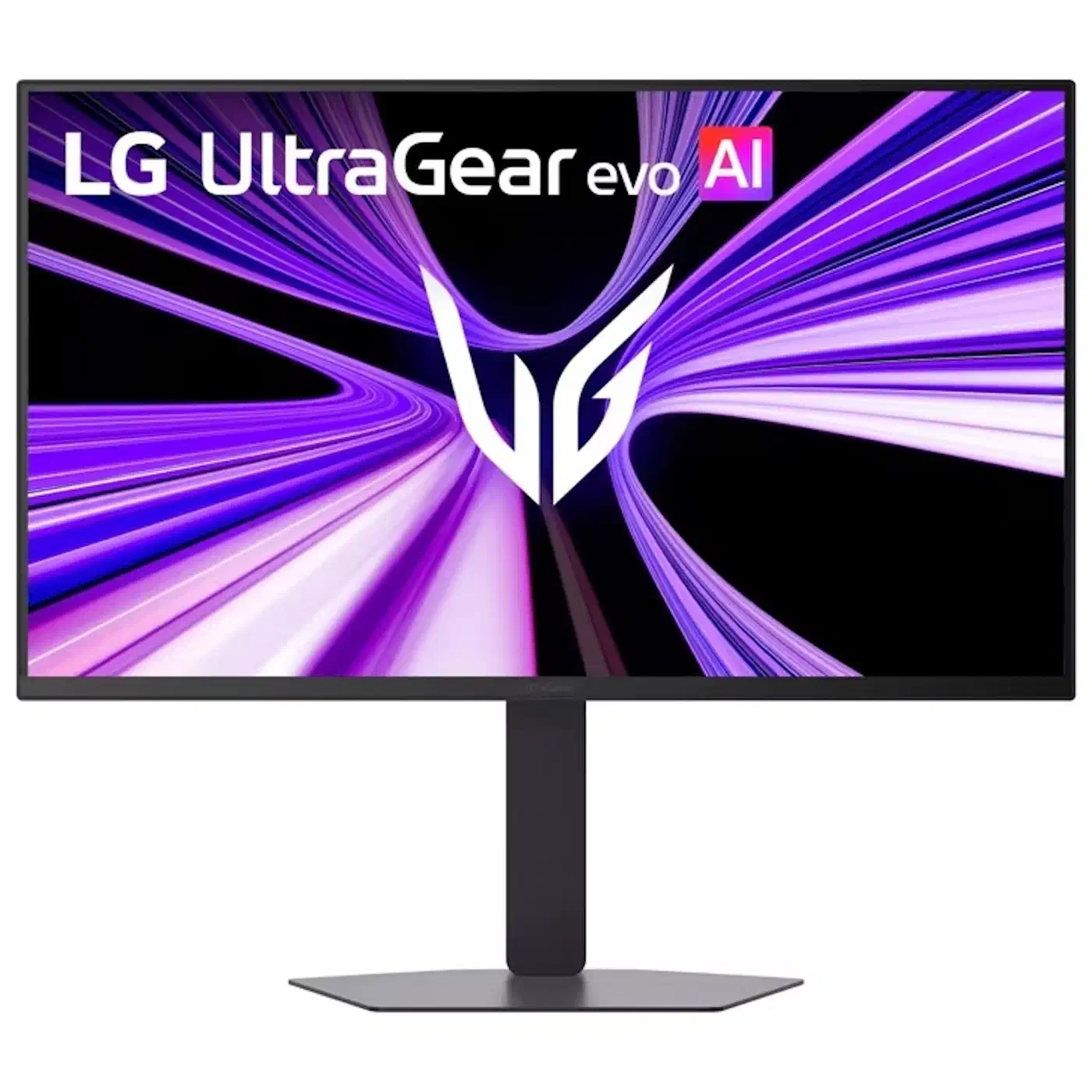
The GM9 is the cheapest way into the new family. Its 39-inch OLED sibling, the GX9, launched at $1,799.99, and the 52-inch 52G930B sits above both at $1,999.99. All three landed together as the UltraGear evo lineup that VideoCardz covered ahead of CES 2026 . Only the 27-inch model uses Hyper Mini LED.
LG is not the only vendor with this panel. MSI and Gigabyte both announced 27-inch 5K mini LED screens carrying the same 2,304 zones. MSI has since put its version on hold, which leaves the 27GM950B as the one you can buy.
The mini LED suits a bright room and HDR games at the lower price, with brightness that holds all day. The 39-inch OLED earns its $600 premium and the ultrawide desk space if you work in a dim room and want per-pixel contrast behind black terminals.