

White windows dim your OLED until HyperNits holds the line


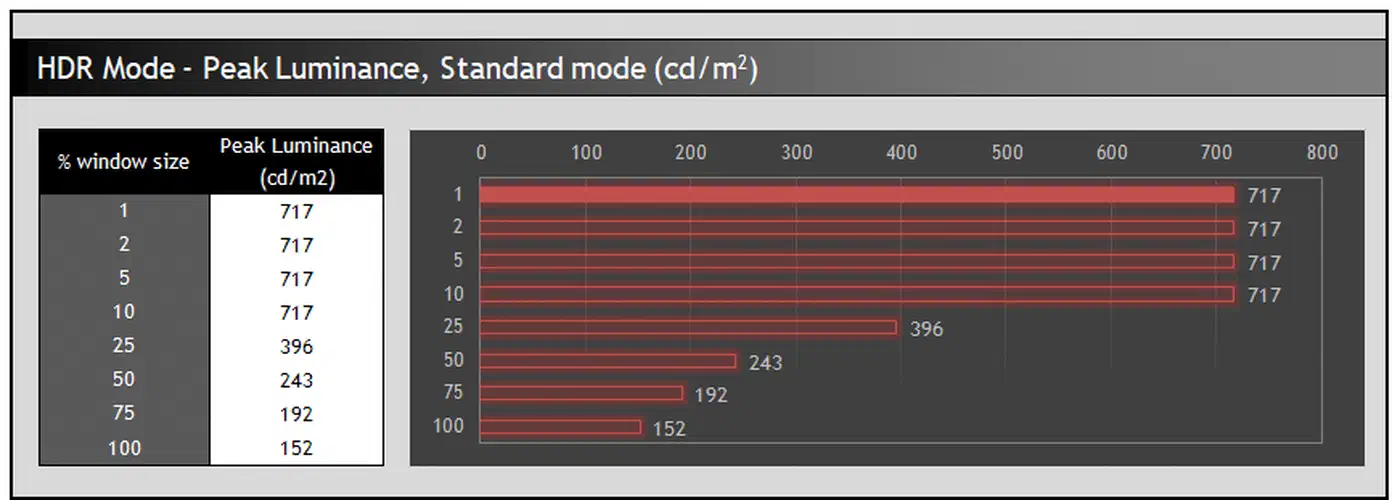
OLED ABL is the reason your bright white screen dims: as more of the panel lights up, brightness drops. On the LG 42C2 , a small white window holds 717 nits while a full white screen manages just 152 nits. Gigabyte’s HyperNits claims about 30% more brightness against that limit.
Key Takeaways
- OLED peak brightness only applies to small bright areas, not full screens.
- The LG 42C2 drops from 717 nits to 152 nits as white fills the screen.
- ABL is a power limit, and no service menu can switch it off.
- ASBL, TPC and GSR are separate features people mix up with ABL.
- At normal desktop brightness, ABL never kicks in.
What is APL on an OLED screen?
APL, or Average Picture Level, is the share of the screen showing bright content. A quarter of the screen white is 25% APL, half is 50%, and an all-white screen is 100% APL. Small 1% and 5% windows stand in for highlights, like a lamp or a sun glint in a game.
This is why good reviews publish brightness at several window sizes instead of one headline figure. A peak-nit number with no window size attached tells you nothing. Marketing quotes the 1% to 3% window because that is where OLED looks brightest, as TFTCentral’s OLED dimming guide lays out.
Why does my OLED dim when a bright window fills the screen?
An OLED pixel makes its own light. A white screen lights every pixel at once, so the panel hits its total power ceiling and cannot push each pixel hard. Shrink the bright area and the panel reallocates that same power budget into fewer pixels, driving them much brighter.
An LCD works the other way. A separate backlight sits behind the panel and delivers the same maximum brightness whatever the content. That is why a mini-LED screen holds a bright full-field image that OLED cannot match.
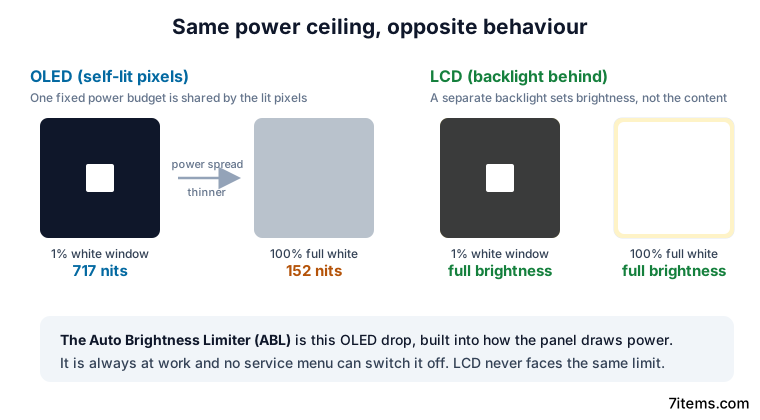
The drop you see is the Auto Brightness Limiter, or ABL. It is built into how the panel draws power, so it is always at work in the background. The point where it starts biting varies by panel, so two OLEDs can behave very differently. Here are two measured curves in HDR, the LG 42C2 against the Alienware AW3423DW QD-OLED.
| White window (APL) | LG 42C2 (WOLED) | Alienware AW3423DW (QD-OLED) |
|---|---|---|
| 1% to 2%, a highlight | 717 nits | 950 to 1,000 nits |
| Up to 10% | 717 nits held | dimming under way |
| 25% and above | ABL cuts brightness | ABL cuts brightness |
| 100%, full white | 152 nits | 258 nits |
Because ABL is built into how the panel draws power, no service menu can switch it off.
ABL, ASBL, TPC and GSR are four different things
The vocabulary here is muddled, on forums and even in vendor menus. Four separate mechanisms get lumped under one label, and you cannot read a review until they are pulled apart.
- ABL is the window-size brightness curve above. It comes from physics and power draw, stays on always, and never switches off.
- ASBL, which LG calls TPC (Temporal Peak Luminance Control), watches for static content and dims the whole screen to lower image-retention risk. It protects against image retention and has nothing to do with power draw.
- GSR (Global Sticky Reduction) dims small static regions and is what sits behind the logo-protection toggles in an OLED TV menu.
TPC is the one that annoys people. Dark, slow scenes in films and games register as static, so the screen dims when it should not, then jumps back up when the picture changes. Desktop work triggers it most easily, because a static window with an unchanging picture is exactly what the feature is looking for.
Still, some desktop OLED monitors skip it entirely. The LG UltraFine 32EP950 Pro and the Alienware AW3423DW do not run ASBL or TPC at all. In practice, ASBL, TPC and GSR can often be reduced or turned off in a menu, while ABL never can.
Does OLED ABL affect everyday desktop work?
For most desktop use, it does not. SDR reference brightness is only 100 nits, and the recommended desktop level in normal lighting is about 120 nits. The LG 42C2 delivers 152 nits even at 100% APL, so at 120 nits the limiter has nothing to do.
Push brighter and there is still plenty of headroom. At 200 nits the same panel holds steady up to about 75% APL, dimming only when a full white screen fills the display. Everyday text, spreadsheets and browsing never get close to that ceiling.
HDR is where ABL shows up, because that is when you ask the panel for everything it has. So before buying, look past the headline peak and check one number in the review: the brightness at 100% APL. That tells you how the screen behaves on a bright full-field image, which the peak spec never reveals.
What Gigabyte’s HyperNits claims to change
HyperNits is a Gigabyte HDR feature shown at CES 2026 that goes straight at this curve. On the MO27Q28GR monitor , Gigabyte claims about 30% more brightness overall by holding output higher as APL rises. If real, that softens the one weakness OLED still carries against mini-LED. As TechRadar’s report frames it, sustained full-field brightness is rare ground where the older tech still wins.
It’s one of the few advantages mini-LED displays have over OLEDs.
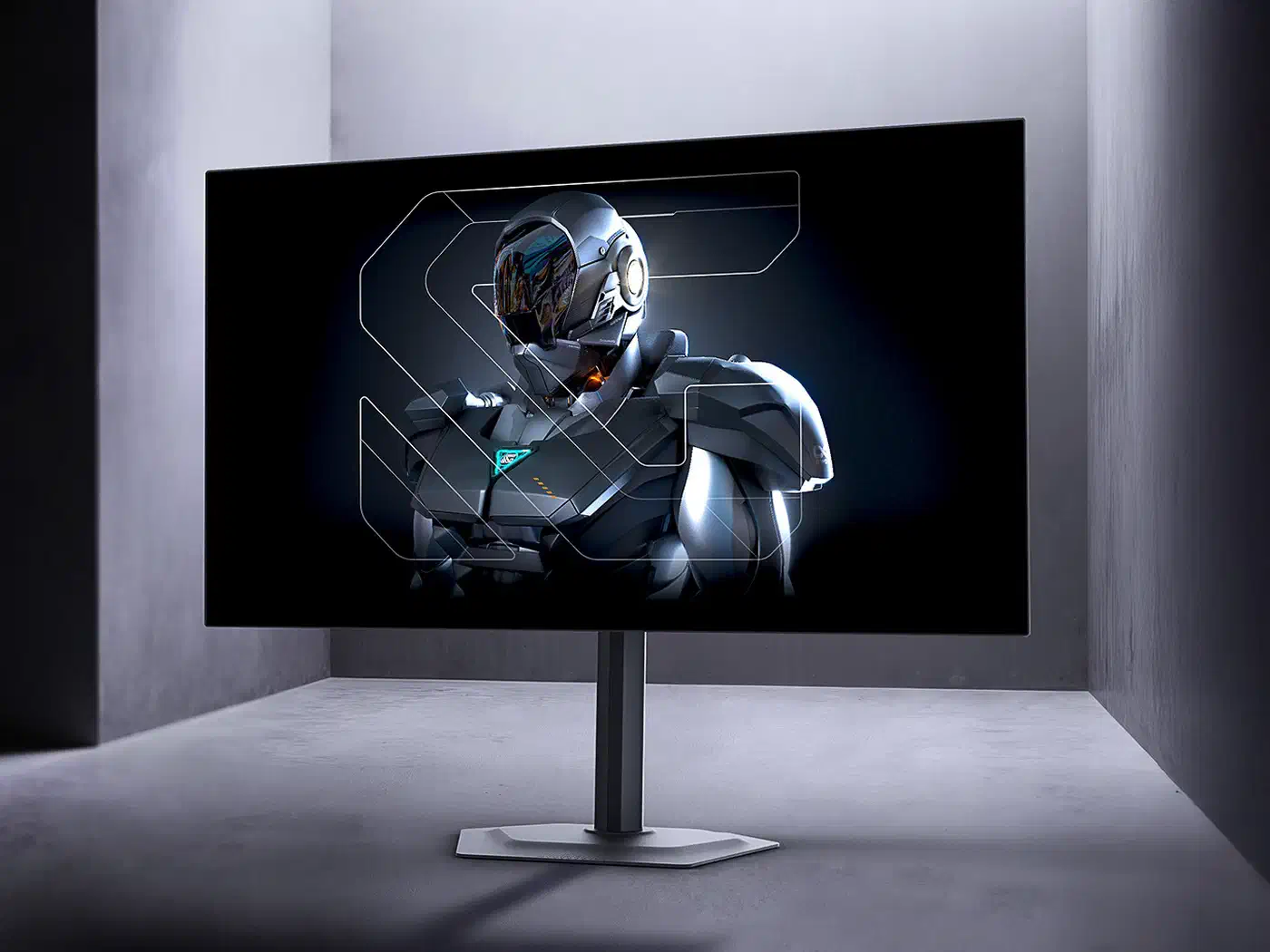
There is a complication, though. The MO27Q28GR also uses a tandem OLED panel, which stacks two emissive layers for more brightness and lower burn-in risk. Two changes arrive at once, so reviews will struggle to say how much of any gain comes from HyperNits alone.
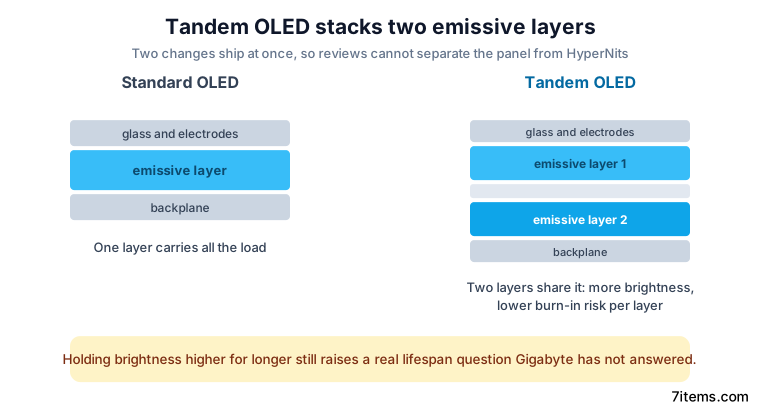
Treat the 30% figure as a manufacturer claim until an independent APL curve for the MO27Q28GR is published against a normal OLED baseline. ABL exists to protect the panel from heat and wear, so holding brightness higher for longer raises a real question about lifespan that Gigabyte has not addressed.