

Below 0.3mm stem wobble the WS Flux switch feels locked in


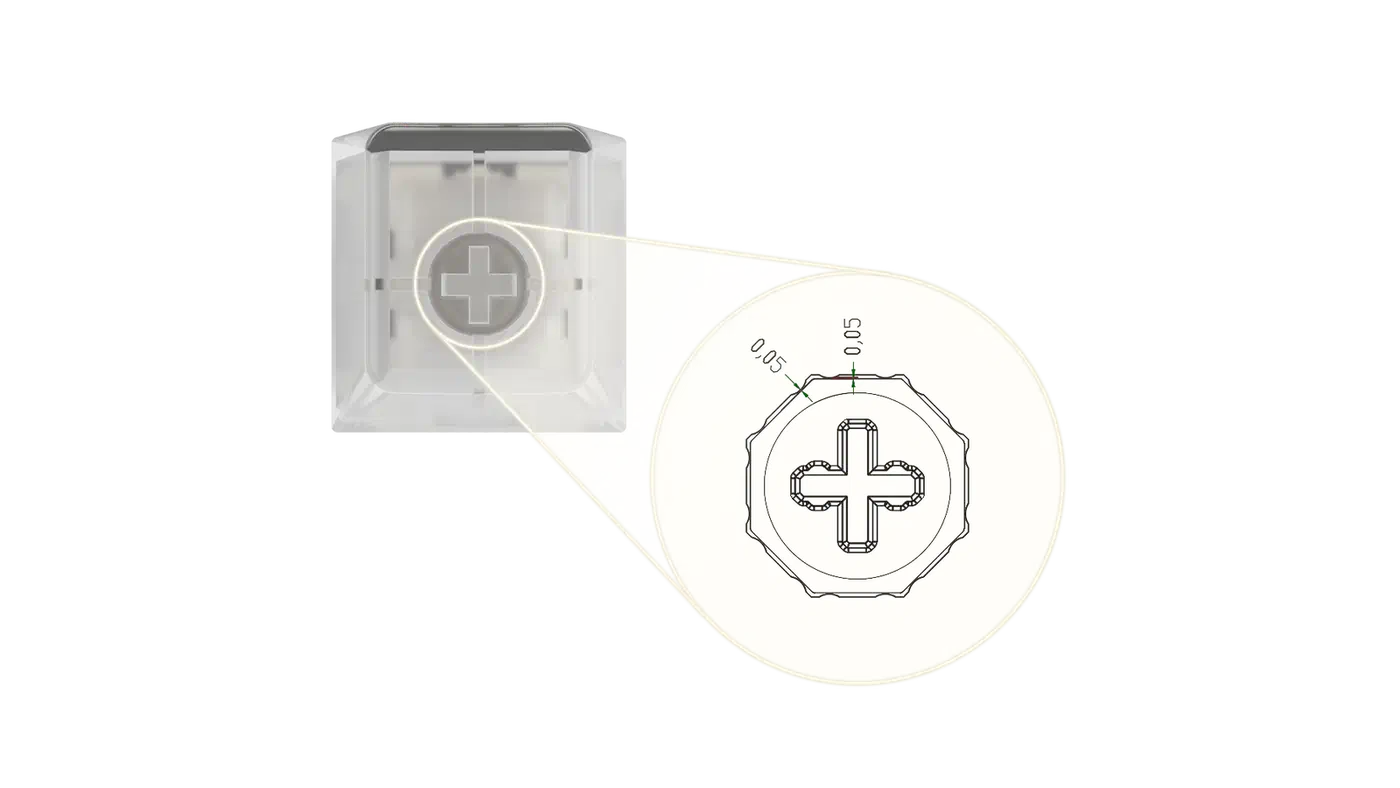
Stem wobble under 0.3mm at the keycap’s top edge is where most typists stop noticing side-to-side play. Above that, keys start to feel rattly. The WS Flux aims far tighter, at about 0.05mm of stem-to-housing clearance. The wobble ladder below gives the numbers for each step, plus what a loose stem does to the sound of a board.
Key Takeaways
- Wobble under 0.3mm at the keycap stops bothering most people.
- The WS Flux switch aims for roughly 0.05mm of play.
- Front-to-back and side-to-side wobble have different causes.
- A loose stem turns a deep thock into a sharp clack.
- Switch films cut side-to-side play and leave front-to-back alone.
Complaints about wobbly switches are everywhere, but published numbers are rare. The figures below come from Attack Shark , a peripherals maker writing about its own factory. Treat them as one vendor’s internal rules of thumb. They are still the closest thing this category has to a shared scale.
How much stem wobble is too much?
About 0.3mm of horizontal play, measured at the top edge of the keycap, is the practical line. Attack Shark calls that its perceptibility threshold. Once lateral play clearly passes it, most people feel rattle or mushiness during ordinary use.
A stem rocks only a fraction of a degree inside the housing, so where you measure changes the number. The keycap turns that tiny rock into visible movement through leverage. The figure only holds if you measure at the keycap’s top edge on a 1U key with the board flat.
Their method uses a digital caliper with 0.01mm resolution. You push the cap sideways at the top edge until it stops, then measure the total travel between the left and right extremes. The sample runs to roughly 20 to 30 switches per series. So 0.3mm is a shop-floor rule of thumb that nobody has tested on human subjects.
| Play at the keycap edge | How it feels | How it sounds |
|---|---|---|
| Under 0.10mm | Locked in, exceptional | Deep, focused thock |
| 0.11mm to 0.15mm | Premium, solid | Solid, slightly muted |
| 0.16mm to 0.25mm | Acceptable, neutral | Balanced, some overtones |
| Over 0.30mm | Loose and wobbly | Sharper clack, plastic rattle |
The tight end of that scale costs real money to reach. Attack Shark’s cost modelling puts the steep part of the curve below about 0.20mm. Each further 0.05mm of tightening drives up reject rates, mould maintenance and process control.
Why north-south and east-west wobble feel different
Wobble runs on two axes, and a single averaged figure hides half the story. North-south play moves the keycap toward and away from the monitor. East-west play moves it side to side. A switch can be tight one way and loose the other, which is why “it wobbles” tells a buyer nothing useful.
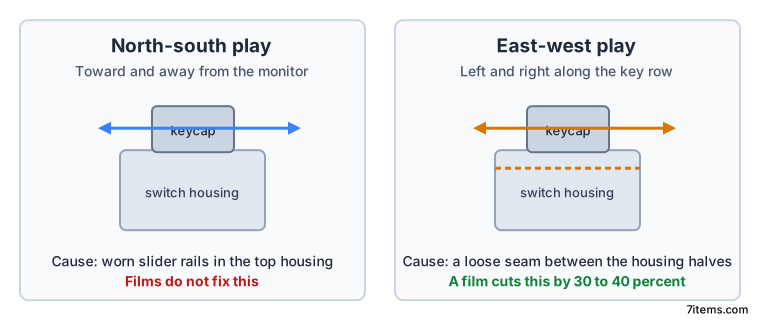
North-south play comes from the slider rails inside the top housing. If those rails are too wide, or the stem legs too thin, the stem rocks front to back. East-west play usually starts at the seam between the top and bottom housing. Even a 0.1mm gap in the clips lets the whole upper assembly shift sideways, per Attack Shark’s north-south versus east-west analysis .
A switch film is a thin plastic gasket, about 0.10mm to 0.15mm thick, that clamps the two housing halves together. In Attack Shark’s handling it cuts perceived east-west play by roughly 30 to 40 percent. Filming does almost nothing for north-south wobble. That gap sits in the mould geometry, where no gasket reaches.
Neither article says whether the 0.3mm threshold is measured the same way on both axes, and keycap height is left unresolved as well. Larger keys like Enter and Shift amplify north-south rocking through leverage, so the same switch reads worse under a tall profile.
What a loose stem costs beyond feel
Wobble usually gets filed as a feel complaint. The same gap also shows up in the sound of the board and in how hard your hand works.
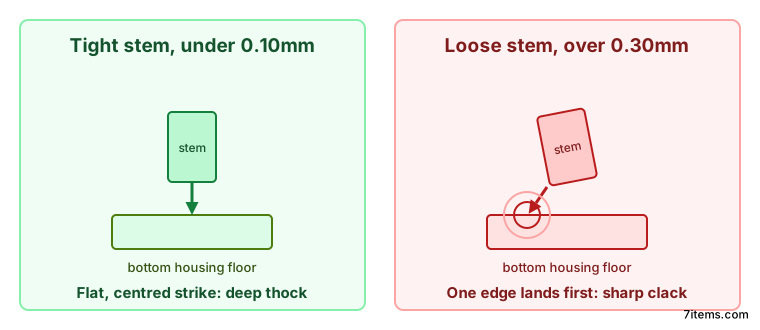
A stem that rocks strikes the housing off-centre. Looser tolerances push the bottom-out tone toward higher frequencies and plastic chatter. Attack Shark’s spectrum recordings put tight, well-damped switches in the low-mid bands and loose ones up in the kHz range.
The other cost is micro-corrections. When the keycap shifts under your finger, the small muscles in your hand keep re-centring it, thousands of times an hour. Attack Shark models a six-hour-a-day claw-grip gamer on switches with more than about 0.35mm of play. That scenario lands in the hazardous band of the Moore-Garg Strain Index. Still, it is a model built from assumptions, and the source says so plainly.
Timing suffers as well. At an 8000Hz polling rate the keyboard sends a packet every 0.125ms. A whitepaper Attack Shark cites treats angular deviation under 1 degree as premium stability, and anything over 1.5 degrees as loose. A stem with that much play adds physical noise the electronics cannot cancel. What nobody has published is how far the real actuation point moves in millimetres.
How to judge a switch by its wobble
Aim for 0.1mm or less of lateral play if you want a locked-in feel. Treat anything past 0.3mm as a distraction. A manufacturer that publishes a clearance figure at all deserves more of your trust than one that stays quiet.
You can check the board on your desk in about ten seconds. Press a central 1U key halfway down, then rock the keycap left and right, and separately front and back. Now press it at the very top edge and the very bottom edge. If the cap tilts noticeably, the rails are loose and no film will save it. Compare against a board you already trust, because relative feel beats guessing at millimetres without a caliper.
| Switch design | Typical clearance target |
|---|---|
| Standard linear | 0.15mm to 0.2mm |
| Box stem linear | 0.08mm to 0.1mm |
| WS Flux ultra-precision | 0.05mm |
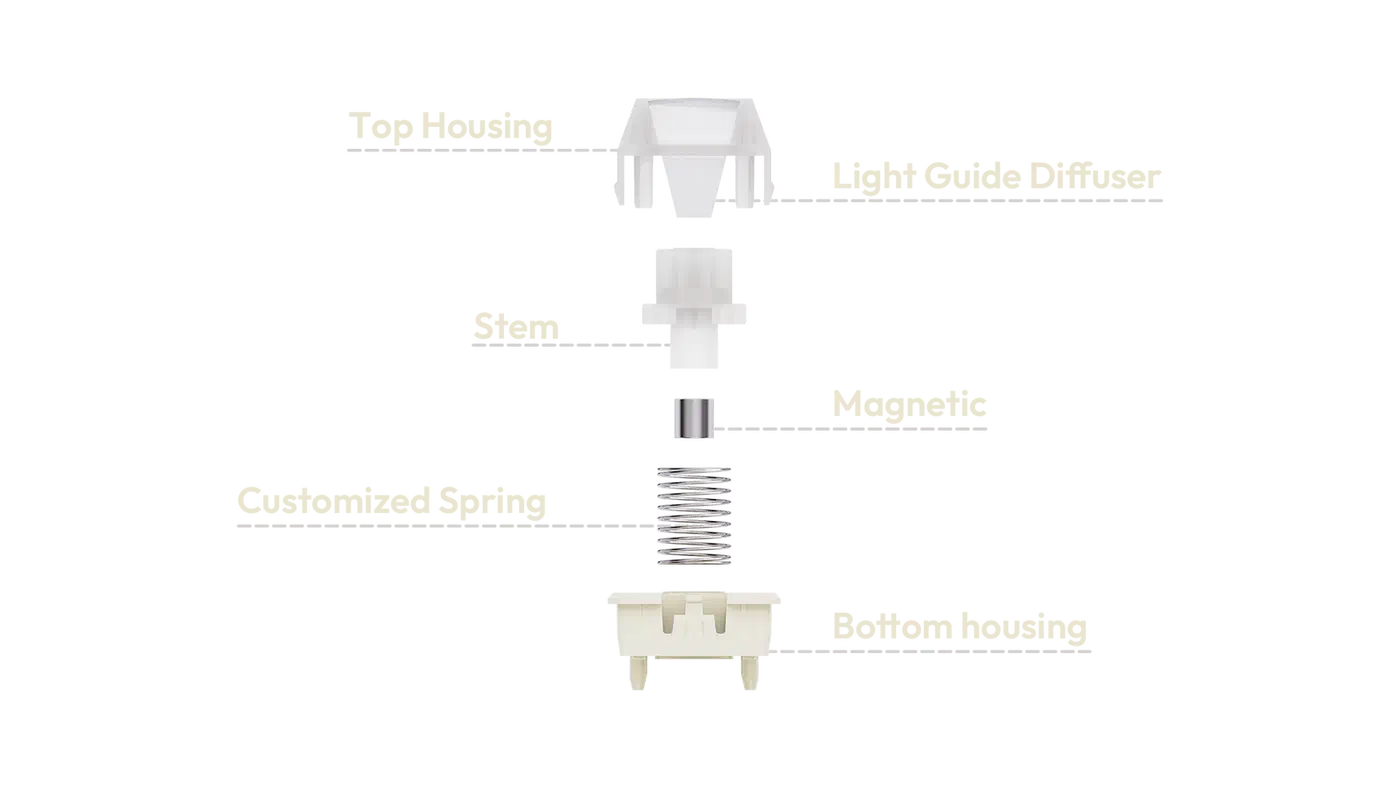
The WS Flux sits at the bottom of that table for structural reasons. It is a Hall effect magnetic switch from Wuque Studio , built around an octagonal stem and a dual T-slide rail. Both features exist to constrain the stem on every axis at once. Magnetic switches help here because no metal leaf pushes against the stem, which frees the housing geometry for stability.
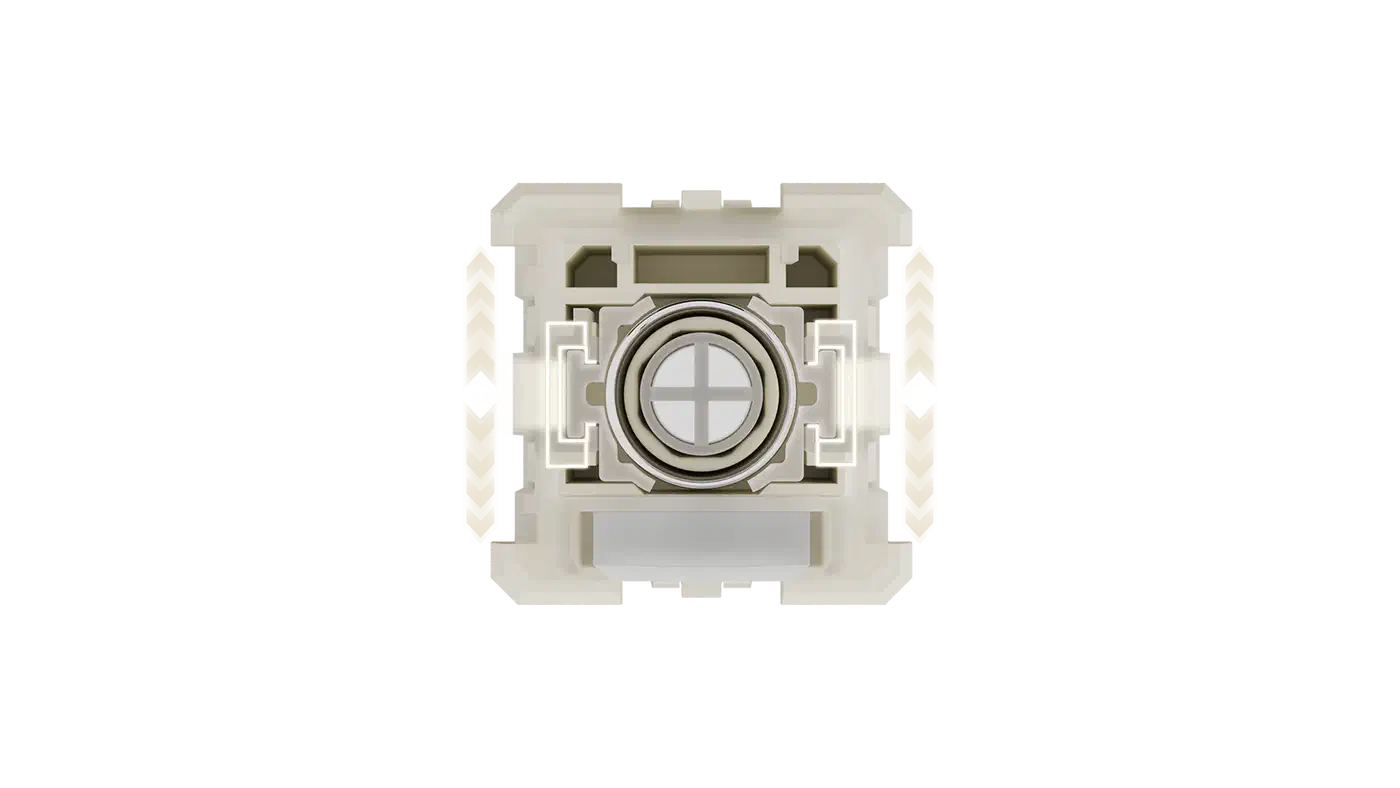
The published spec sheet keeps the same habit of quoting hundredths: spring diameter to plus or minus 0.01mm, outer diameter to plus or minus 0.05mm.
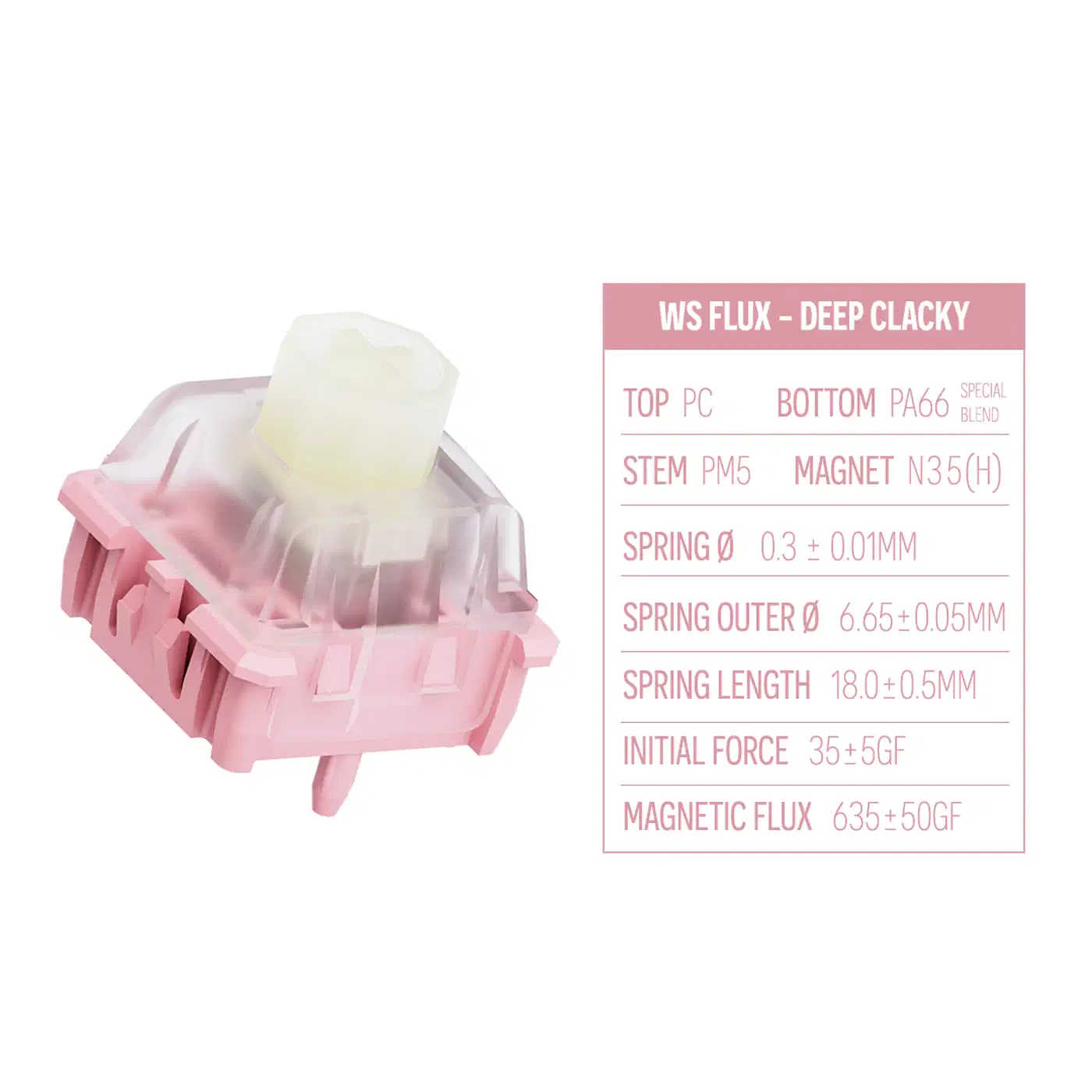
The 0.05mm figure is a design target from the people selling the switch, with no independent measurement behind it. A loose keycap on a tight stem also feels almost identical to a wobbly switch. Check the cap fit before you blame the switch under it.