

A force curve shows switch feel that gram ratings hide

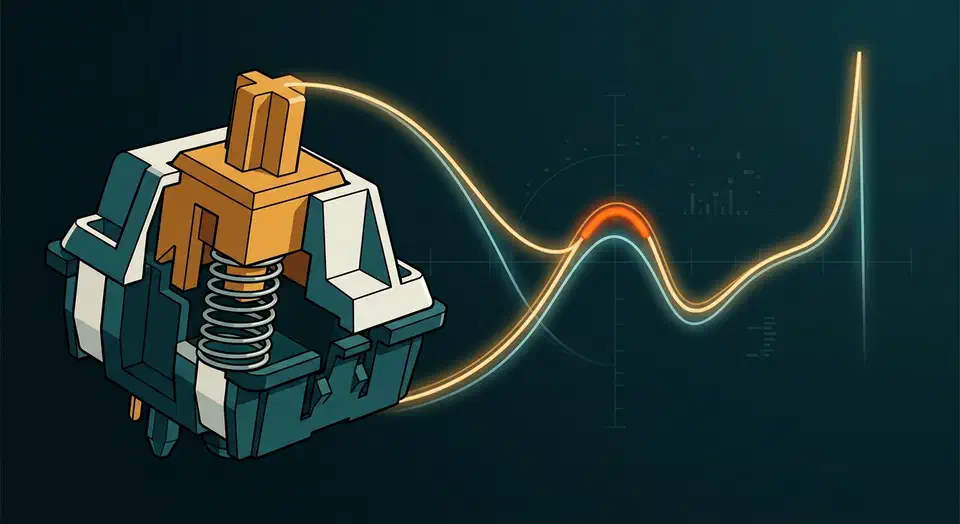
A switch force curve plots how hard a switch pushes back at every point of the keystroke, so you can read bump height, spring ramp, and bottom-out weight before you buy. One gram rating shows none of that. Pair the curve with rated lifespan, often around 50 million presses, and you buy on evidence.
Key Takeaways
- A force curve shows a switch’s feel that one gram number can’t.
- Bump size is how long it lasts; bump strength is how hard it hits.
- Only a few reviewers own the gauges that make trustworthy curves.
- Rated lifespan is a separate spec, often around 50 million presses.
- Switch databases let you line up curves and specs before you buy.
What is a switch force curve?
A switch force curve is a force-versus-displacement plot. Gram-force runs up the vertical axis, and travel distance in millimetres runs along the horizontal, drawn from the switch at rest all the way to bottom-out. It is the switch’s fingerprint. It records resistance across the whole keystroke, which is exactly what a single actuation number throws away.
The graph carries two lines. ThereminGoat’s force curve guide reads the top line as the downstroke, left to right, from rest to bottom-out. The bottom line is the upstroke, read right to left, as the switch springs back up. The gap between them comes from elastic hysteresis in the spring, not from measurement noise.
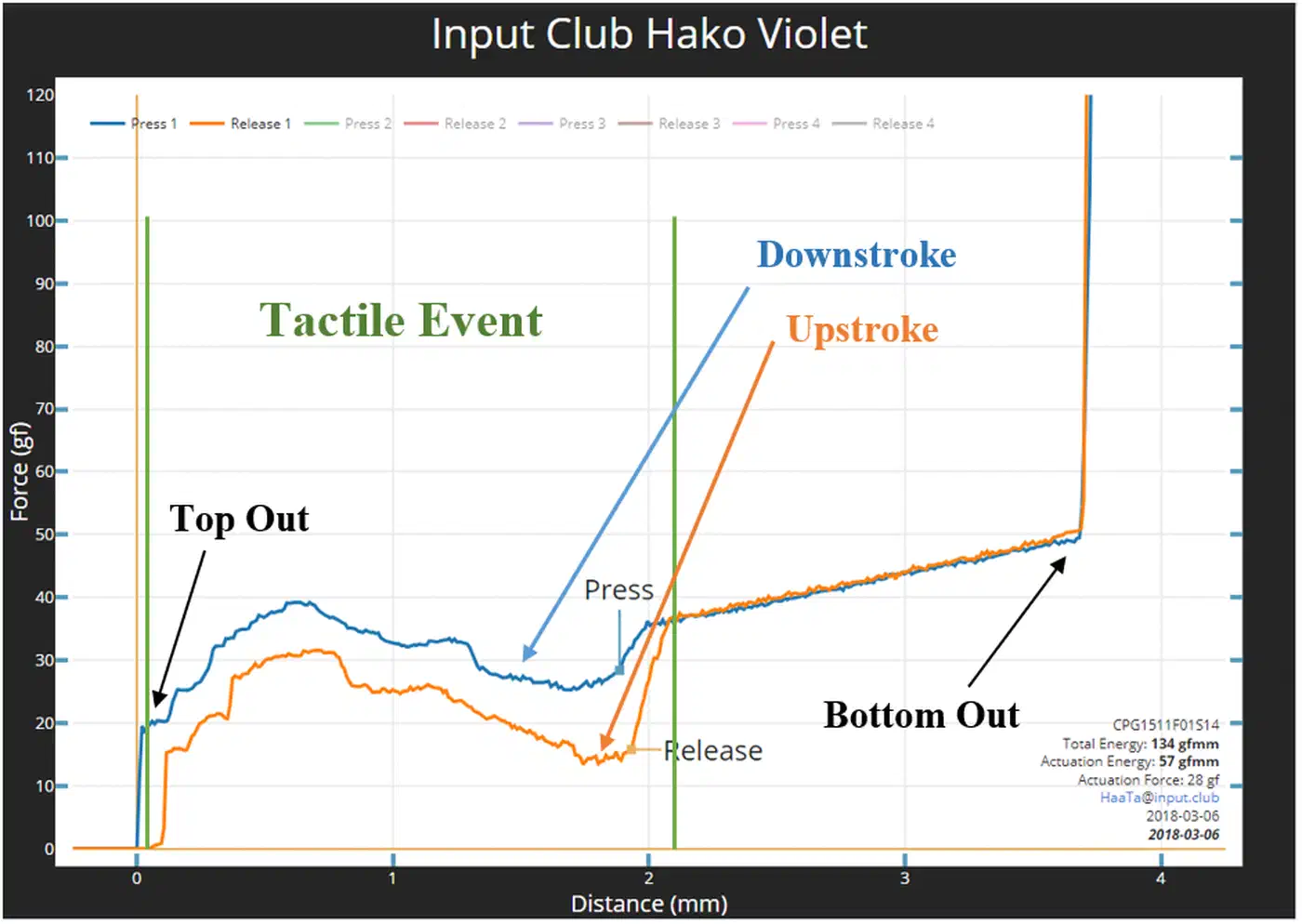
Two features anchor the shape. The vertical spike at the right edge is bottom-out, where the stem stops moving but force keeps climbing. The small buffer at the very start is the force you overcome before the spring even begins to compress.
The line is not straight. A pure spring would draw a diagonal set by Hooke’s Law, but stem-and-leaf interactions and lube bend that diagonal into the shape your finger feels. So the curve captures spring weight at every point plus, on tactile switches, the bump itself. The “45g” on the box captures one point at best.
How do you read a tactile bump on a force curve?
The tactile event is the bumpy region of the curve. The flat stretches around it are linear pre-travel before the bump and linear post-travel after it. Read two things about that bump and you can predict how a tactile switch feels.
One is bump size, meaning length: how far along the travel the bump stretches. A bump running past half the stroke reads as big; a short one reads as small. The Gamer Hardware switch database frames it the same way, since a larger bump means more feedback under your finger.
The other is bump strength, meaning the force jump. Measure the difference in grams from the start of the stroke to the peak of the bump. A jump of about 20g reads as weak. A jump of about 45g, like a Box Royal, reads as strong.
Clicky switches confuse people here, because they read as tactile with very small bumps. A click bar makes a fast, sharp inflection rather than a long one, so it still registers as a bump on paper. As Benjamin Rudzinski of ThereminGoat’s Switches points out, strip away the noise and a clicky switch is just a tactile one with a tiny bump.
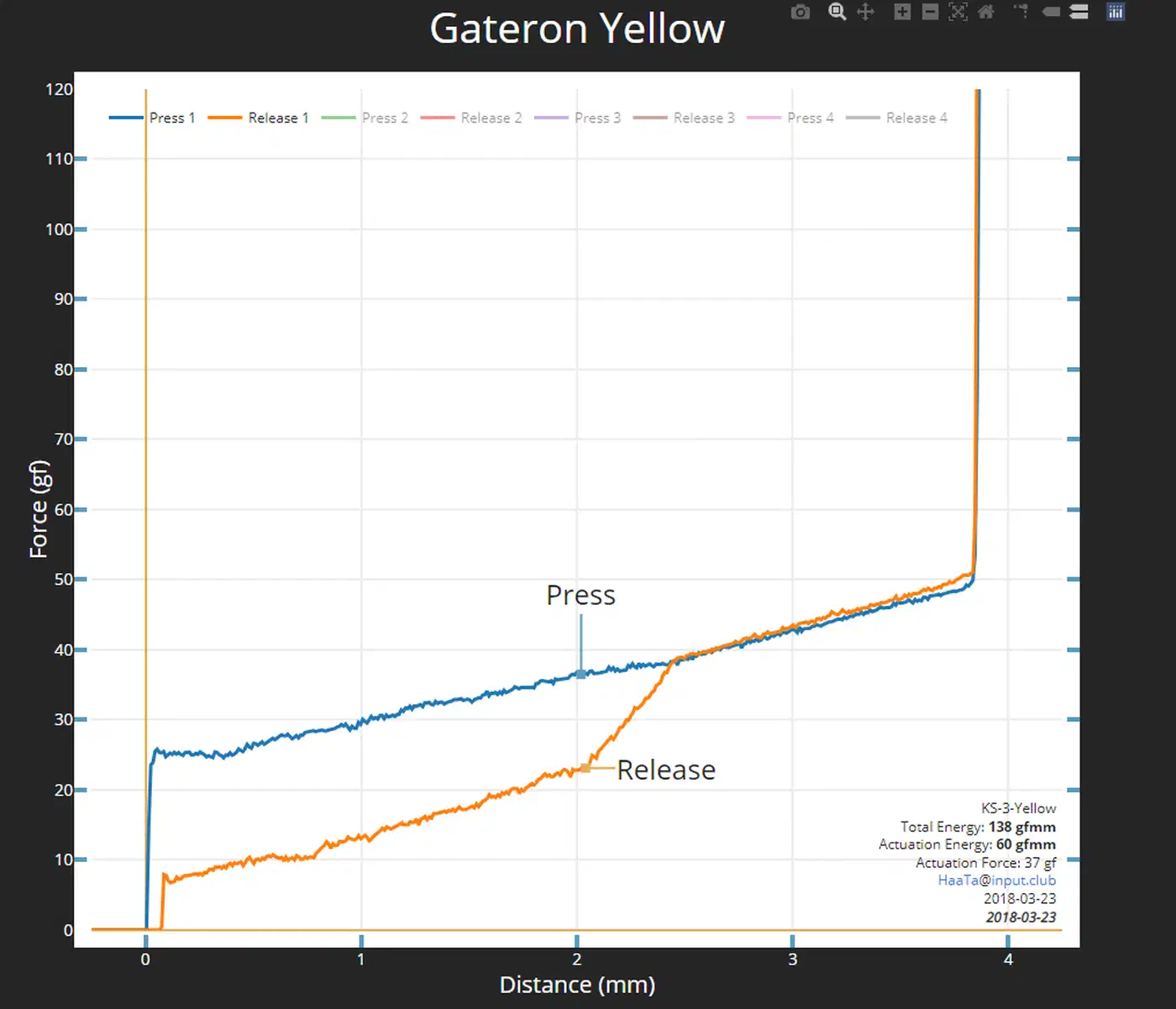
Linear switches show almost none of this. Their curve looks like the straight Hooke’s Law line, because smooth stem legs never change the sideways force on the spring.
Why do gram ratings and colour names mislead?
Actuation force is a single point on the curve, so it hides everything around it. Two switches printed with the same actuation number can feel nothing alike, because their curves differ at every other point of the stroke. The colour name on the box tells you even less.
Aftermarket springs make the problem worse. Sellers list them by actuation force, yet that figure shifts depending on which switch you drop the spring into.
Activation forces that are marketed by spring sellers make literally no sense at all as the force at the activation point could widely change depending on what switch you put them into.
One figure stays put. Bottom-out force sits at the far right of the curve, where the graph spikes, and it is the ceiling weight you will feel. A heavier or longer spring lifts the whole curve rather than one point, because force follows a spring relationship close to Hooke’s Law. So when you shop springs by weight, read bottom-out force as the real ceiling you will feel.
Who measures force curves, and what an Imada gauge costs
Community reviewers do this work, because manufacturers usually publish only a couple of numbers. ThereminGoat is the most prominent, sharing force curves and raw data that fill the gap.
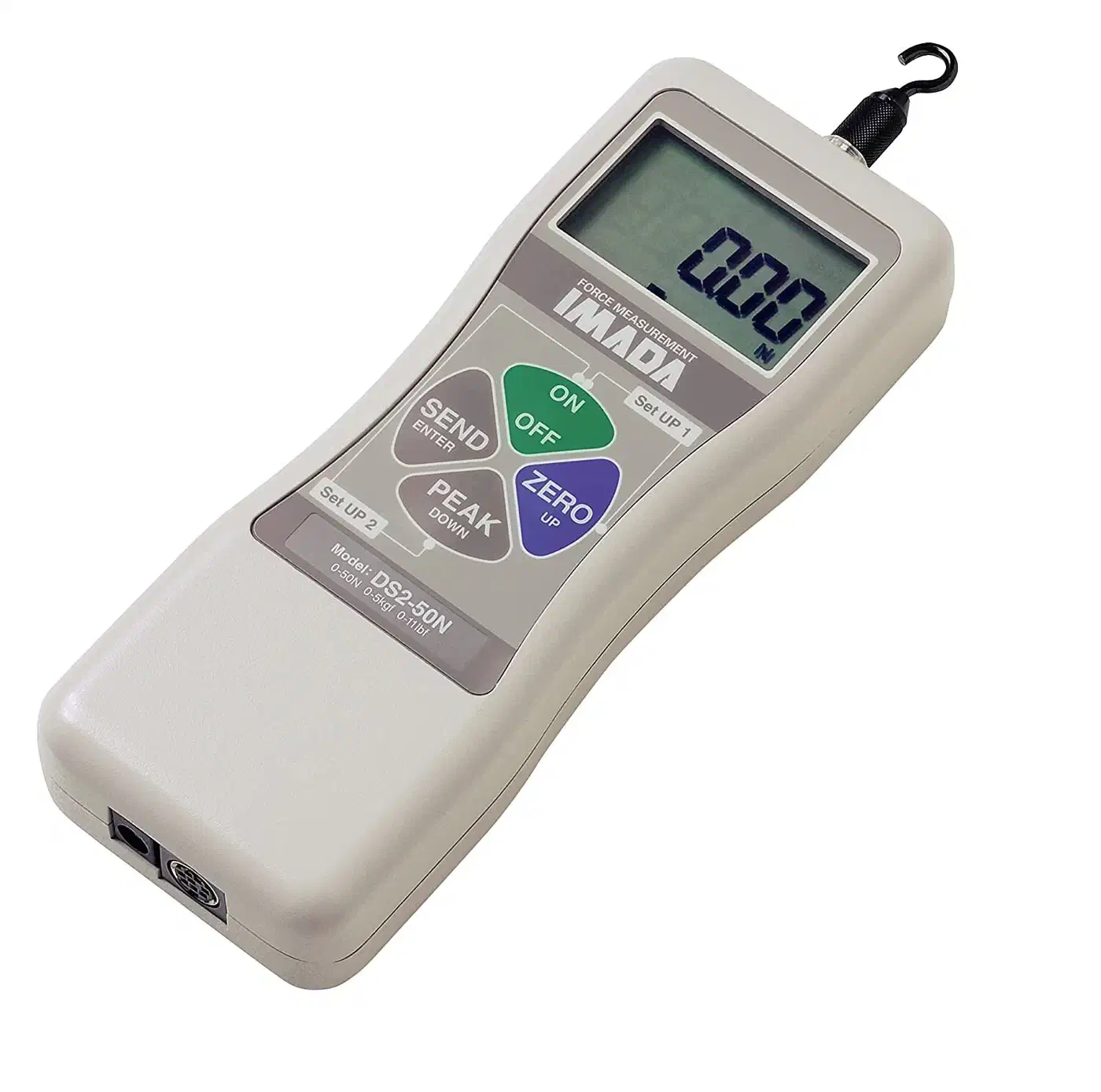
A trustworthy curve takes two instruments: a force gauge and a displacement stand. The famous gauges are Imada models, and the guide pictures the Imada DS2-44. A gauge runs $300 to $1,000 depending on its resolution and scale. The motorised test stand is the pricier half, often $2,000 to $3,000. Force and displacement have to stay tightly locked at the scale of grams and fractions of a millimetre.
That price gap explains why cheap homemade rigs are suspect. A slight disconnect between force and displacement misreports bump size and shifts the actuation point, which can misrepresent a switch entirely. Professional setups also sample thousands of points per tenth of a millimetre, catching subtle changes a contrived rig would miss.
The few curve sets that exist come from different devices, operators, and metrics, so cross-comparing them is dubious. Treat one reviewer’s library as internally consistent, not as a universal standard.
How does rated lifespan pair with feel?
Feel is only half the buy. Rated lifespan is a separate spec, and it answers a different question: how long the switch survives. Mainstream mechanical switches are commonly rated around 50 million presses.
Contactless switches change the maths. Hall effect switches use magnets and sensors instead of metal contacts, so nothing physical wears at the actuation point. That gives them effectively unlimited contact life, as the switch database explains.
| Switch type | Rated lifespan | Example |
|---|---|---|
| Mainstream mechanical | ~50 million presses | Gateron Yellow, Cherry MX Red |
| Premium / optical | Quoted higher | Optical linears |
| Hall effect / contactless | Effectively unlimited | Wooting Lekker, Gateron KS-20 |
Contactless switches win on lifespan but come in linear feel only. So a tactile lover is choosing feel over the higher rating. For most people the lifespan number rarely swings the everyday decision, but it earns weight for heavy typists and gamers logging huge press counts.
Read these figures with some caution. Rated lifespans are manufacturer claims, seldom verified independently, so treat them as claims rather than measurements.
How do you compare switches before buying?
Switch databases now let you line up force curves and full specs side by side, instead of guessing from a colour name. The Gamer Hardware database tracks more than 200 switches with force curve overlays, so you can stack candidates on one chart.
A repeatable pre-purchase check:
- Overlay two or three candidate curves on the same axes.
- For tactiles, compare bump length and strength; for linears, compare the slope.
- Check bottom-out weight and rated lifespan side by side.
Overlaid curves may come from different sources, so use them to spot big differences in shape, not to split hairs between near-identical switches. And a physical switch tester still beats any graph for final feel. Use curves to build a shortlist, then a hands-on sample to decide.