

Dell U4025QW vs LG 39GX950B-B on a Linux coding desk

The Dell U4025QW vs LG 39GX950B-B choice is a dock or a gaming panel. Both show 5120x2160 on a 40-inch ultrawide, so desktop space ties. The gap nobody publishes as a number is the bend: the LG’s edges sit 68 mm forward of centre, the Dell’s only 43 mm. That 25 mm changes how the desk feels.
Key Takeaways
- Both screens show the same 5120x2160, so desktop space is a tie.
- The LG bends 68 mm out of flat, the Dell only 43 mm.
- One Dell cable carries video, 140W charging, Ethernet, and a keyboard switch.
- The LG hits 165Hz, but only a very new graphics card feeds it uncompressed.
- The Dell costs less on the street and has no burn-in worry.
Dell U4025QW vs LG 39GX950B-B at a glance
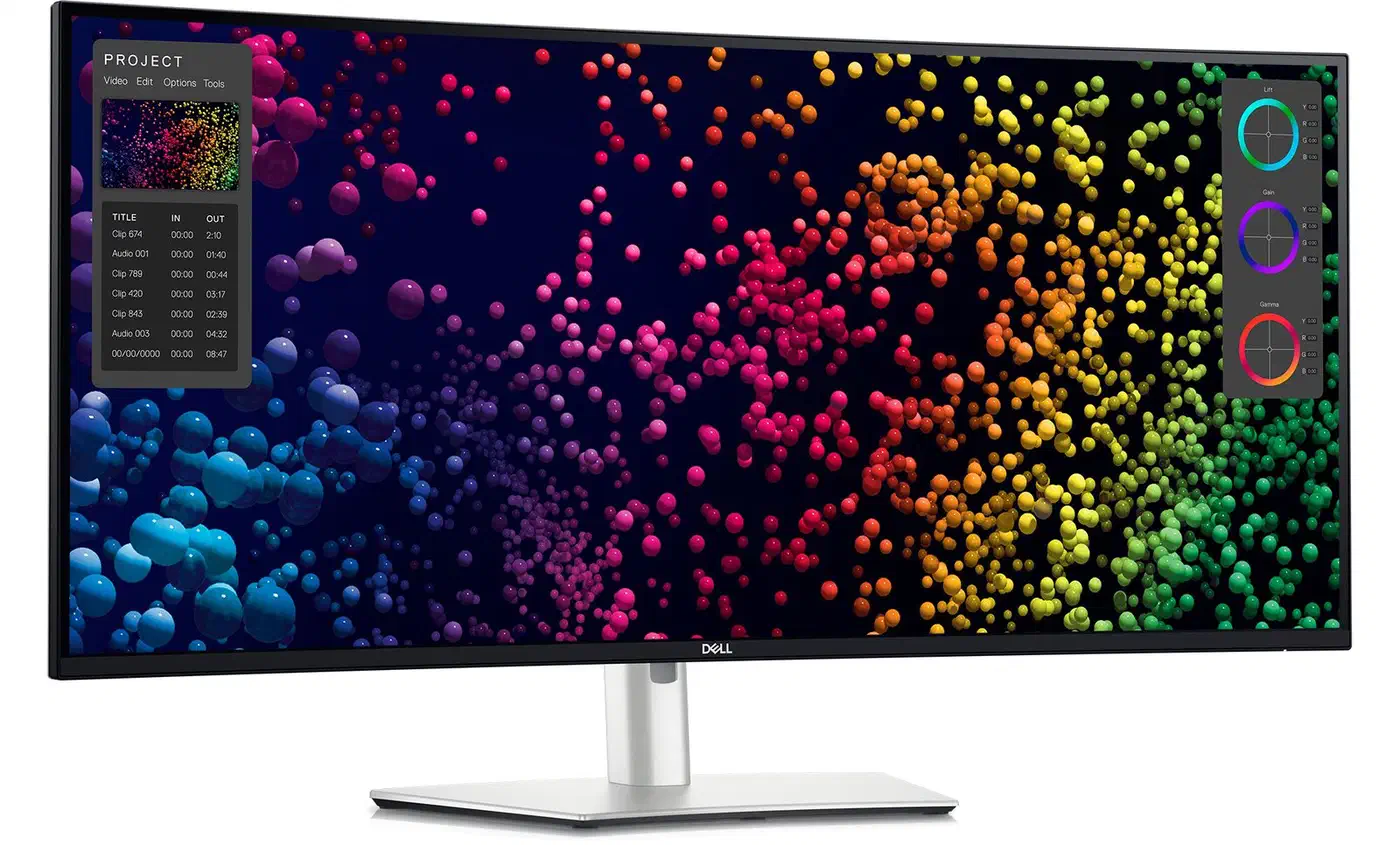
| Spec | Dell U4025QW | LG 39GX950B-B |
|---|---|---|
| Screen size | 39.7 in | 38.86 in |
| Panel | IPS Black | 4th-gen Tandem WOLED |
| Resolution | 5120x2160 | 5120x2160 |
| Pixel density | 140 PPI | 142 PPI |
| Panel width | 929.28 mm | ~909 mm (derived) |
| Curvature | 2500R | 1500R |
| Curve depth | 43 mm | 68 mm |
| Refresh rate | 120Hz | 165Hz |
| Response time | 5 ms (fast mode) | 0.03 ms GtG |
| SDR brightness | 450 nits | 335 nits (uniform) |
| HDR | DisplayHDR 600 | DisplayHDR True Black 500 |
| Contrast | 2000:1 | Effectively infinite |
| Colour gamut | 99% DCI-P3 | 99.5% DCI-P3 |
| Video inputs | Thunderbolt 4, DP 1.4, HDMI 2.1 | DP 2.1, 2x HDMI 2.1, USB-C |
| USB-C power | 140 W | 90 W |
| Ethernet | 2.5 GbE | None |
| KVM | Yes | No |
| Speakers | Yes | Yes |
| Warranty | 3 years | 2 years |
| List price | $2,399.99 | $1,799.99 |
| Street price | ~$1,700 | ~$1,800 |
The pixel density row is closer than it looks. 140 and 142 PPI are the same to the eye, so the text argument moves onto subpixel layout rather than sharpness. PCWorld’s review measured the Dell at 138 PPI in practice, which nobody will spot next to 142.
The Dell’s IPS Black panel is made by LG Display, so these are one supplier’s two answers to the same brief. The OLED side is a fourth-generation Tandem WOLED panel, per TFTCentral’s spec report when LG first posted the numbers.
How curved is 1500R next to 2500R?
Curvature gets quoted as a radius, and nobody can picture a radius. 2500R means the screen is a slice of a circle with a 2500 mm radius, so a smaller number is a tighter bend.
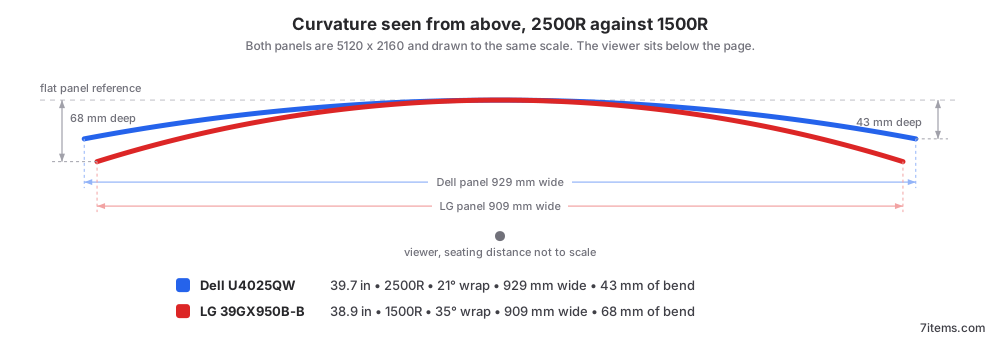
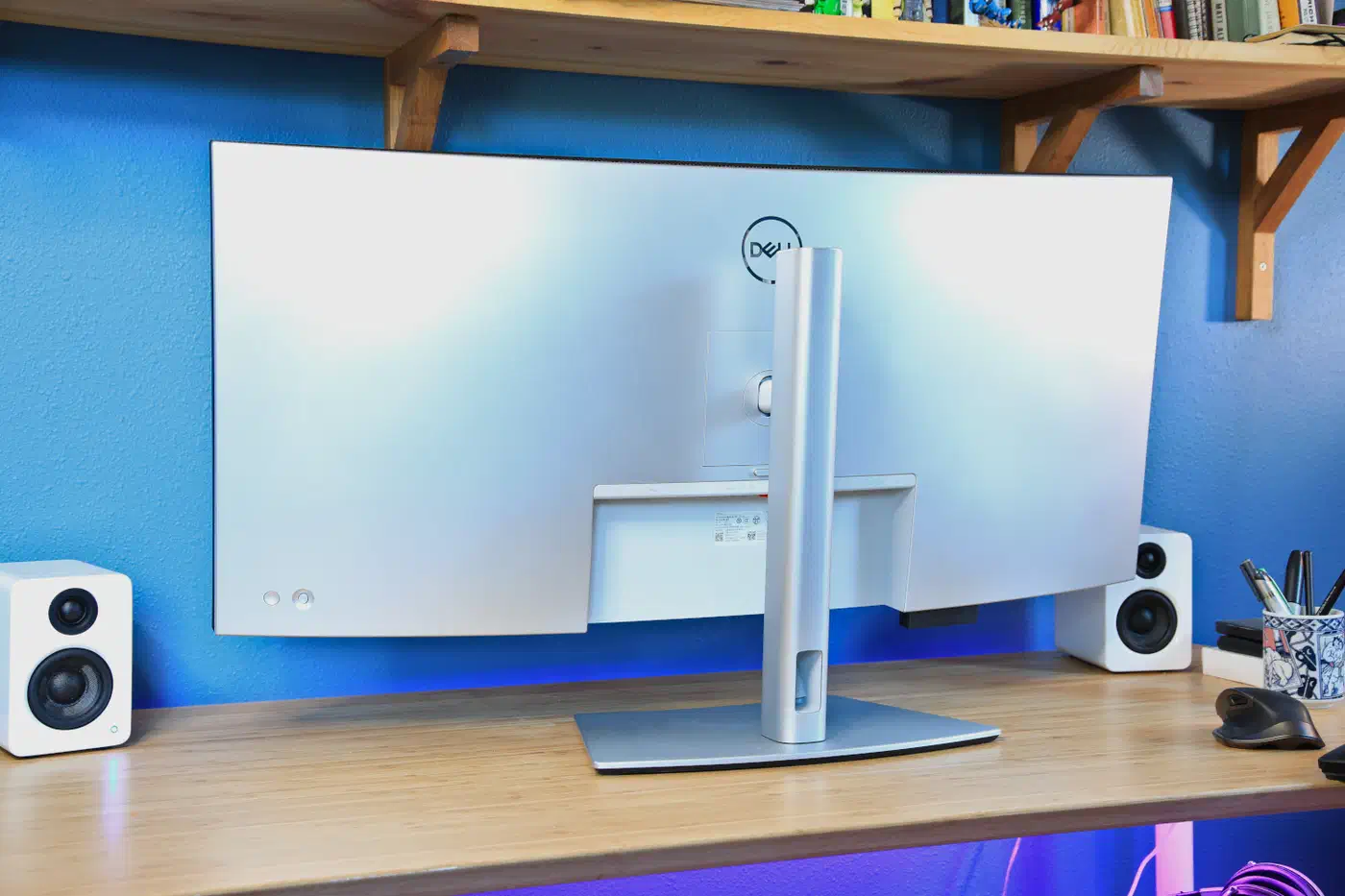
The Dell’s 929 mm panel over a 2500 mm radius wraps 21.3 degrees, and its edges sit 43.1 mm forward of centre. The LG’s 909 mm panel over a 1500 mm radius wraps 34.7 degrees, and its edges sit 68.4 mm forward.
I derived that 909 mm width rather than copying it off a spec sheet. LG lists a 0.1776 mm pixel pitch on its UK spec sheet but no active-area width, so the number comes from pitch times 5120 pixels. Dell publishes its 929.28 x 392.04 mm display area outright.
In practice, the LG’s edges come 25 mm closer to your face than the Dell’s, which is why it feels like it leans in.
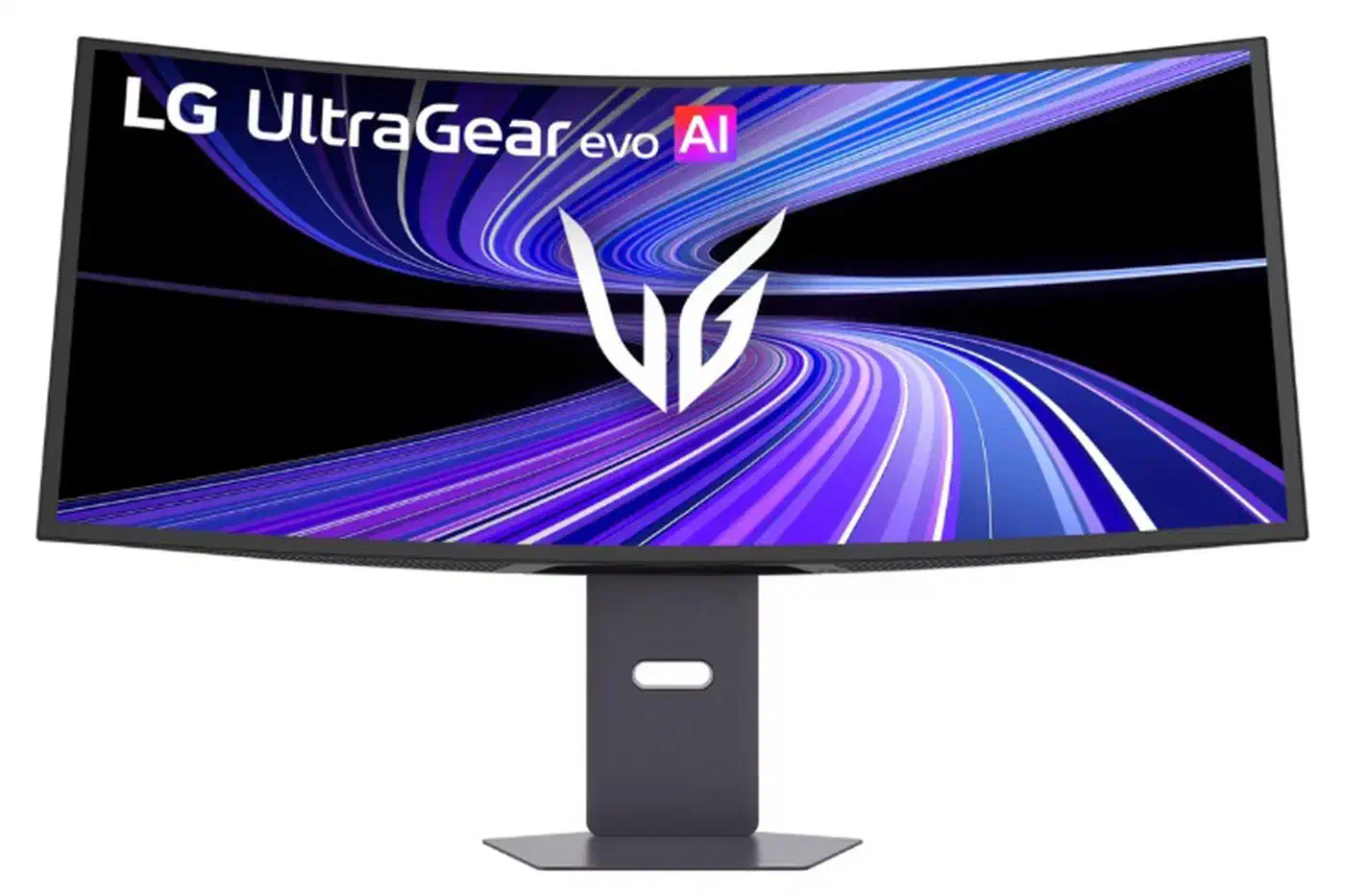
At a normal 700 to 800 mm seating distance, the tighter bend points the far corners closer to your eyes. They stay in focus, and colour shift at the extremes drops off.
You pay for that with a deeper footprint at the desk edge, a harder time lining up a second monitor beside it, and visible bowing of long straight lines in CAD, photo, and layout work.
TFTCentral, which has reviewed LG’s earlier 800R ultrawides, calls the move to 1500R a positive improvement. Their 39GX950B review argues the 800R curve got too steep as screen sizes came down from 45 inches.
Still, 2500R is the safer default for text work. A gentler bend keeps rulers, table borders, and window edges closer to straight. It still kills off-axis colour shift at the ends of a 930 mm panel.
A 1500R panel also needs more clearance behind the front edge of the desk. A monitor arm has to sit further back to clear the sweep.
Which screen renders text better
The Dell uses a conventional RGB stripe. That is exactly what every font renderer on Linux, macOS, and Windows assumes.
The LG uses an RGWB layout with a white subpixel added. Historically that arrangement produced colour fringing on thin glyphs, and it earned WOLED a bad name for text.
The honest 2026 update is that the fringing has mostly stopped being visible. TFTCentral’s review reports that fringing issues are basically resolved for the vast majority of users at this density. The same thing happened on 32-inch 4K WOLED panels.
The 39GX950B is an excellent screen and it’s a no-brainer recommendation if you’re looking for a larger format ultrawide screen.
However, a coding desk is close to the worst case for OLED. A terminal prompt, a status bar, a docked file tree, and a taskbar sit in the same pixels for eight hours a day.
That is where the LG’s protection looks thin. TFTCentral found only a screensaver and an image cleaning cycle in the menu: no pixel shift, no logo dimming, no taskbar detection. That is fine on a gaming monitor, but it leaves a static IDE layout exposed.
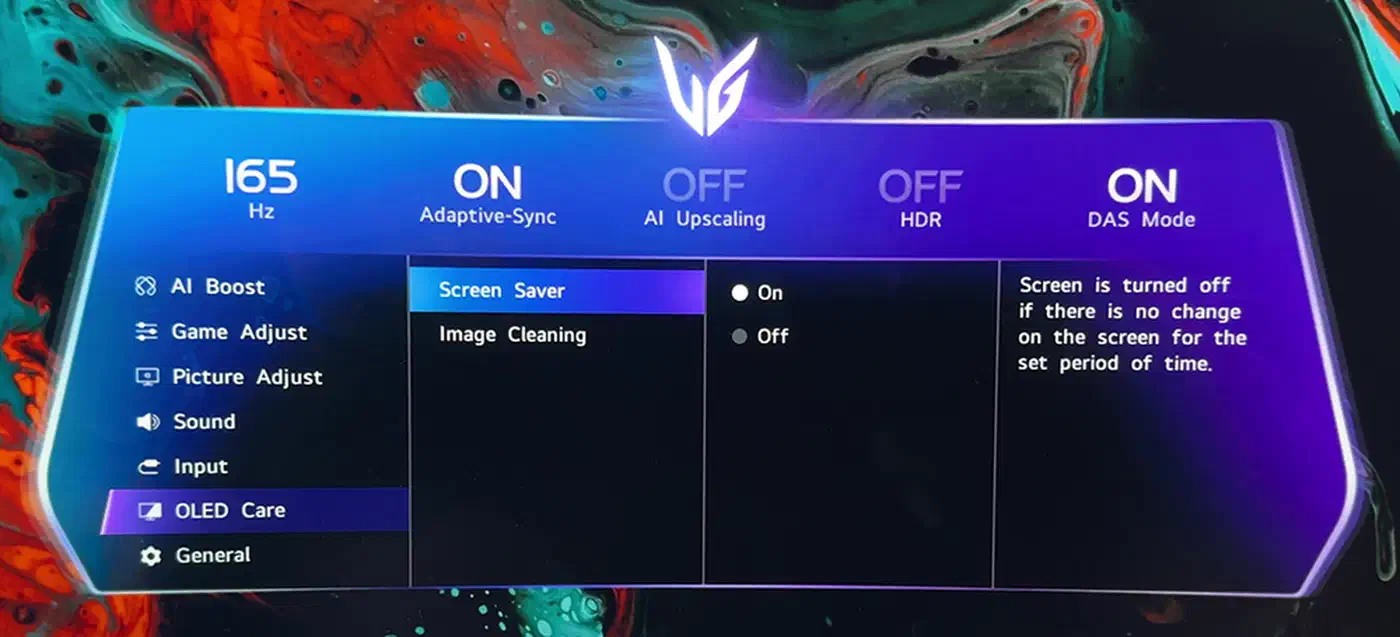
Brightness behaviour is the other catch. The LG’s uniform mode holds a measured 335 nits with no automatic dimming, and that is the mode you want for work. Push into the low or high settings for more light, and the panel starts dimming as content changes. A white IDE theme is the content that triggers it.
The Dell’s counter-argument is boring and effective: 450 nits of flat SDR brightness, measured at 408 nits by PCWorld, with no dimming ever.
Where the LG wins outright is dark themes. True black pixels next to a dark editor background give contrast that IPS Black’s 2000:1 cannot reach.
If the OLED side appeals but 39 inches is more desk than you have, the 32-inch alternatives fight the same subpixel argument at a smaller size.
Ports, power, and the KVM difference
The Dell doubles as a docking station, which drives most of its price and most of the buying decision.
Dell’s hub covers Thunderbolt 4 upstream with 140W power delivery, a second Thunderbolt 4 port for daisy chaining, DisplayPort 1.4, HDMI 2.1, 2.5 gigabit Ethernet, a pop-out USB hub on the lower lip, and speakers.
For a laptop desk that means one cable. It carries 5K2K video, charges a 140W laptop, and connects wired Ethernet, keyboard, mouse, and webcam at the same time.
On the whole, the U4025QW’s connectivity is hard to match and likely the best reason to buy the monitor.
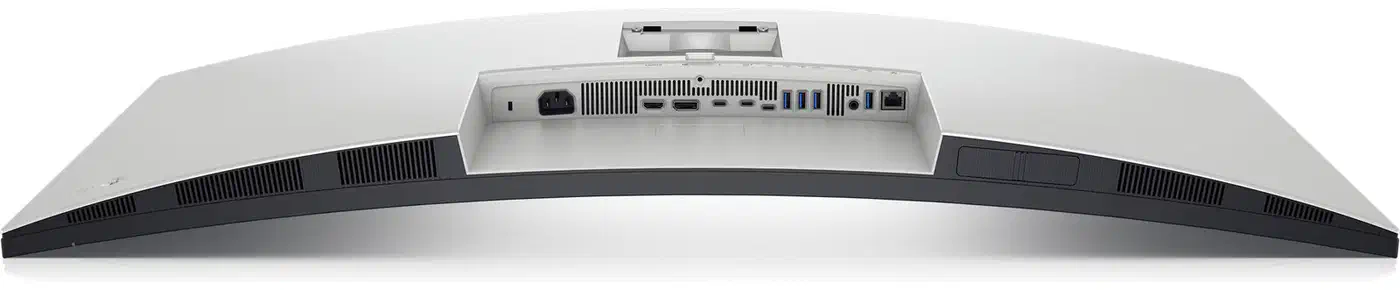
The built-in KVM handles two machines on one keyboard and mouse, switched from the monitor menu. A work laptop and a personal desktop share one set of peripherals with no extra box under the desk.
Internal Multi-Stream Transport is the other Dell trick. The monitor splits itself into two 2560x2160 displays that the operating system sees as separate monitors, which is a different tiling story on Linux. Dell also fits an ambient light sensor that trims brightness and colour temperature to the room, and the LG has nothing like it.
LG’s port list is shorter and aimed elsewhere: DisplayPort 2.1a with UHBR20 at 80 Gbps, two HDMI 2.1 inputs, one USB-C with DisplayPort Alt Mode and 90W power delivery, two USB-A data ports, and a headphone jack.
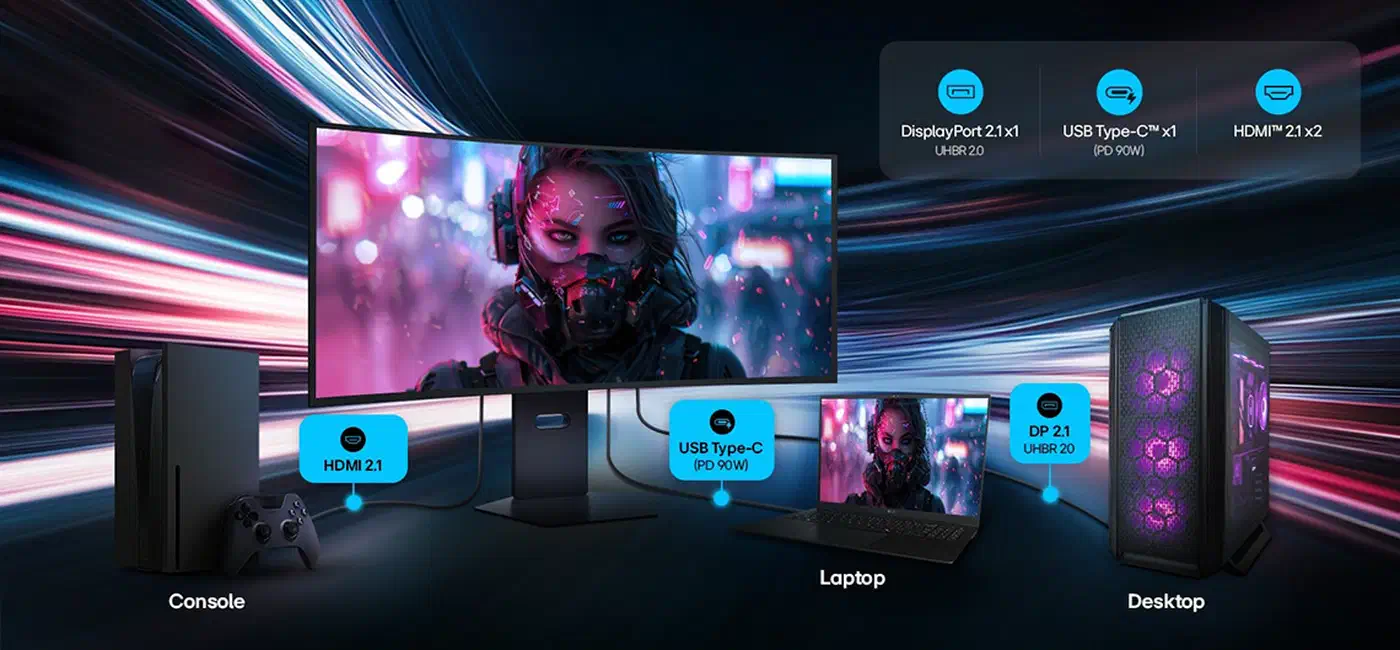
Two HDMI 2.1 inputs is where LG pulls ahead. A PlayStation and an Xbox stay plugged in alongside the PC, and the single-HDMI Dell cannot do that.
For work, though, the LG falls short. 90W will not hold a 16-inch workstation laptop under load, there is no Ethernet, and there is no KVM. There is also no USB-B upstream, so the monitor’s USB-A ports hang off the USB-C connection.
Set against the LG, the Dell also saves you a separate desk dock worth $200 to $300, which closes most of the price gap by itself.
On a desk that runs ten hours a day, power draw adds up. Dell’s ENERGY STAR listing puts the U4025QW at 39.5W in on mode. LG publishes no equivalent figure, and OLED draw swings with content anyway.
What each monitor needs from a Linux box
5120x2160 at 120Hz in 10-bit exceeds what uncompressed DisplayPort 1.4 can carry, so both screens lean on Display Stream Compression.
The Dell path is easy. 5K2K at 120Hz runs over Thunderbolt 4 or DisplayPort 1.4 with DSC, and any GPU with working DSC handles it. That includes integrated graphics on recent Intel and AMD laptops.
The LG path is pickier. TFTCentral confirmed 5K2K at 165Hz in 10-bit with no compression from an RTX 50-series card, over DisplayPort 2.1 UHBR20 with a certified DP80 cable. Older DisplayPort 1.4 cards still drive the screen, but they fall back to DSC.
“The cable says DP 2.1” is a different claim from “the link negotiated UHBR20”. Run modetest or read drm_info to see which one you got.
Fractional scaling is the daily annoyance. At roughly 140 PPI both screens sit in the awkward band where 100% is tiny and 200% is huge, so 125% is the sane setting. Wayland handles it now: GNOME ships fractional scaling and VRR on by default, and KDE Plasma 6 adds per-display scale factors with crisp XWayland rendering. X11 still fakes it by rendering large and downscaling. Add a second screen at a different density and you land in mixed-DPI territory, which is a harder problem again.
HDR is less settled. The LG’s DisplayHDR True Black 500 and its 1500-nit peak only show up if the desktop can drive HDR output. Plasma has it, GNOME’s support arrived later, and most Linux applications ignore HDR entirely.
Variable refresh causes an OLED-specific problem. VRR flicker on a self-emissive panel is a documented complaint, because OLED gamma shifts as the refresh rate swings. On a desktop that swings between 30 and 165 frames per second, lock the refresh rate or cap the frame rate.
The Dell’s split mode behaves well here. iMST makes the OS see two real 2560x2160 outputs, so any tiling window manager treats them as separate monitors without a fake-display extension.
A Linux laptop needs nothing new for the Dell. For the LG at full refresh, budget for a current-generation GPU alongside the monitor.
Price, warranty, and who should buy which
The LG 39GX950B-B launched at $1,799.99 in the US, roughly £1,599 to £1,699 in the UK, and about €1,798 in Europe, per VideoCardz’s pricing report and TFTCentral’s availability tracker . It is the only monitor using this panel, and the price reflects that.
The Dell U4025QW lists at $2,399.99, and nobody pays list. Street prices have settled around $1,700, roughly the drop PCWorld predicted in its review. RTINGS’ measurement suite is the place to check the panel numbers against your own tolerance before you buy.
Warranty is a real gap. Dell ships 3 years of Advanced Exchange service with Premium Panel Exchange, a policy that replaces a screen over a single bright pixel. LG ships 2 years, and its UK spec sheet does list the OLED panel among the covered parts. TFTCentral has pushed LG for a 3-year term to match rival OLED makers.
Get the Dell if you dock a laptop, run two machines off one keyboard, work in a bright room, use a light theme, or want the screen to still be fine in year four.
The LG makes sense if you game seriously, live in a dark theme, already own an RTX 50-series or RDNA 4 card, and want contrast no IPS panel can match.
Skip both if you need colour-critical print work at reference brightness, or if your desk is under 700 mm deep. A 39-inch 1500R panel sits too close at that distance.
They put the same number of pixels in front of you. Everything else about them disagrees.