

Sweeping vibrations replace the old Klipper resonance test

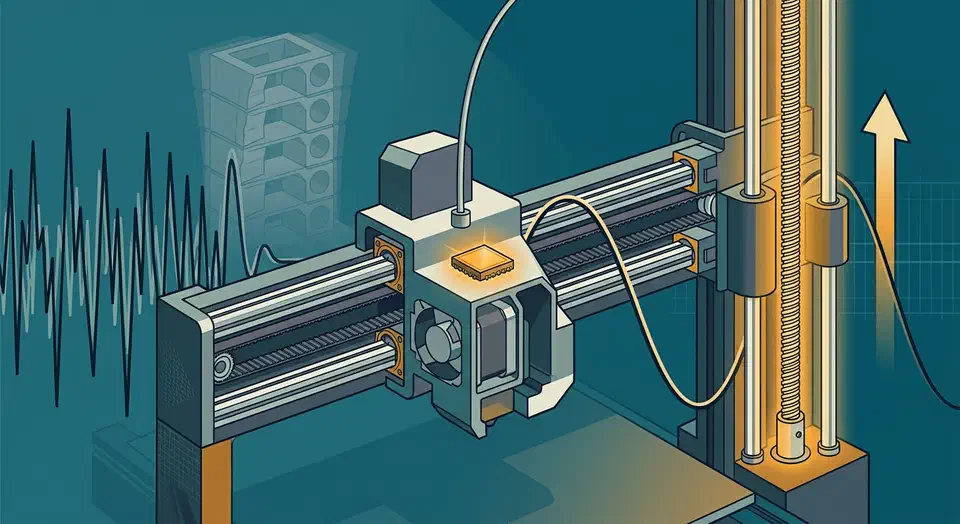
Klipper v0.13.0 swaps the old ringing-tower print for a sweeping vibrations resonance test, a cleaner way to tune input shaper. The same method also made Z-axis input shaping practical. The feature’s own author is blunt though: on most printers, Z shaping buys faster Z moves, not sharper walls.
Key Takeaways
- Klipper v0.13.0 brings a new sweeping vibrations test for tuning input shaper.
- The sweeping test replaces the old printed ringing tower.
- The same test finally makes Z-axis input shaping practical.
- Z shaping mostly buys faster Z moves; the print looks about the same.
- The release also adds new sensors, eddy-current probing, and rp2350 boards.
What changed in Klipper v0.13.0?
Klipper tagged v0.13.0 in April 2025. The big motion change is the new sweeping vibrations test for input shaper. The official Klipper v0.13.0 release notes list the rest. This post follows the input-shaper thread and skips the rest of the changelog.
Here are the changes that touch motion tuning and sensors:
- A new
minimum_cruise_ratiokinematic parameter replaces the oldmax_accel_to_decel. - Adaptive bed mesh scales the probed area to the size of the print.
- New sensors arrive:
lis3dhandicm20948accelerometers,ldc1612eddy-current scan probing, and load-cell support through hx71x and ads1220 chips. - The control boards got faster too. Klipper now supports new rp2350 chips, and existing rp2040 chips run at 200MHz, up from 125MHz. A board can also hold up to 16384 commands, not just 128.
Most of these help specific setups. The sweeping vibrations test, however, changes how everyone tunes resonance.
How does the sweeping vibrations resonance test work?
Input shaping cancels ringing and ghosting, those faint echo lines you see next to sharp corners. It uses an accelerometer to measure how an axis shakes. Then it picks a shaper tuned to that frequency. Klipper ships several shapers, from the gentle zv and mzv up to the heavier 2hump_ei and 3hump_ei. The Klipper Measuring Resonances docs
cover the wiring and chip options in full.
The old way to find those frequencies was clumsy. You either printed a ringing tower and eyeballed the bands, or ran a resonance test with a tiny vibration amplitude. That small amplitude was the weak spot. On stiff axes with stiction or backlash, it could barely move the part, so the data came back skewed.
The sweeping vibrations method drives a controlled frequency sweep instead. It pushes harder and cleaner, so the accelerometer captures clean peaks through the noise. Supported accelerometers now include ADXL345, MPU-9250, LIS3DH, and ICM20948.
The workflow is two commands: run the test, then feed the CSV to the calibration script.
TEST_RESONANCES AXIS=Z OUTPUT=raw_data
~/klipper/scripts/calibrate_shaper.py /tmp/raw_data_z_*.csv -o ~/shaper_z.png
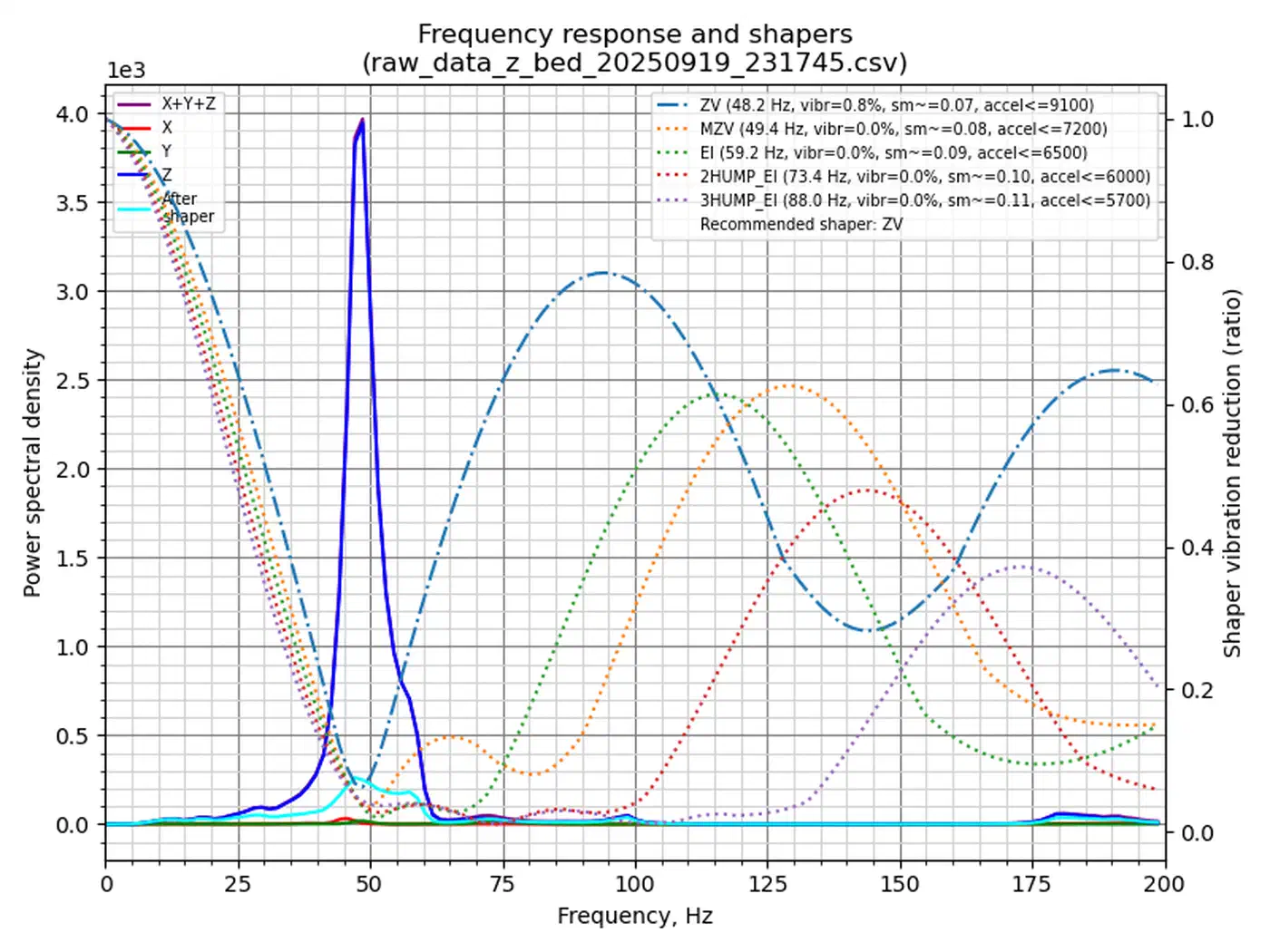
The script reads the sweep and recommends a shaper and frequency. One real run on a Z axis reported these options:
| Shaper | Frequency | Vibration left | Smoothing | Suggested max accel |
|---|---|---|---|---|
| zv | 36.8 Hz | 1.0% | 0.117 | 5200 mm/s² |
| mzv | 37.6 Hz | 0.0% | 0.144 | 4200 mm/s² |
| ei | 46.2 Hz | 0.0% | 0.154 | 3900 mm/s² |
| 2hump_ei | 59.4 Hz | 0.0% | 0.160 | 3700 mm/s² |
| 3hump_ei | 73.0 Hz | 0.0% | 0.167 | 3600 mm/s² |
The heavier shapers kill more vibration but add smoothing and force a lower acceleration cap, so the pick is always a trade.
One tester spelled out why the sweep helps on lead-screw axes:
I would like to point out that the new method of resonance generation (sweeping) is very good for trapezoidal screws that have play in the nuts.
Klipper Z-axis input shaping and who it helps
The sweeping test that shipped for X and Y turned out to work on Z too. That is the whole reason Z-axis input shaping became practical. You cannot print a resonance tower that moves up and down, so a reliable Z measurement was the missing piece. The Z-axis input shaper feature-testing thread tracks the rollout.
Setup mirrors X and Y. You name the shaper and its frequency:
[input_shaper]
shaper_type_z: mzv
shaper_freq_z: 50
Z testing uses gentler defaults than X and Y, because you do not want to fling a heavy bed around. First mount an accelerometer on the moving Z part, the bed or the toolhead, then point the tester at it:
[resonance_tester]
accel_chip_z: <your accelerometer chip name>
max_freq_z: 100
accel_per_hz: 12.5
sweeping_accel_z: 50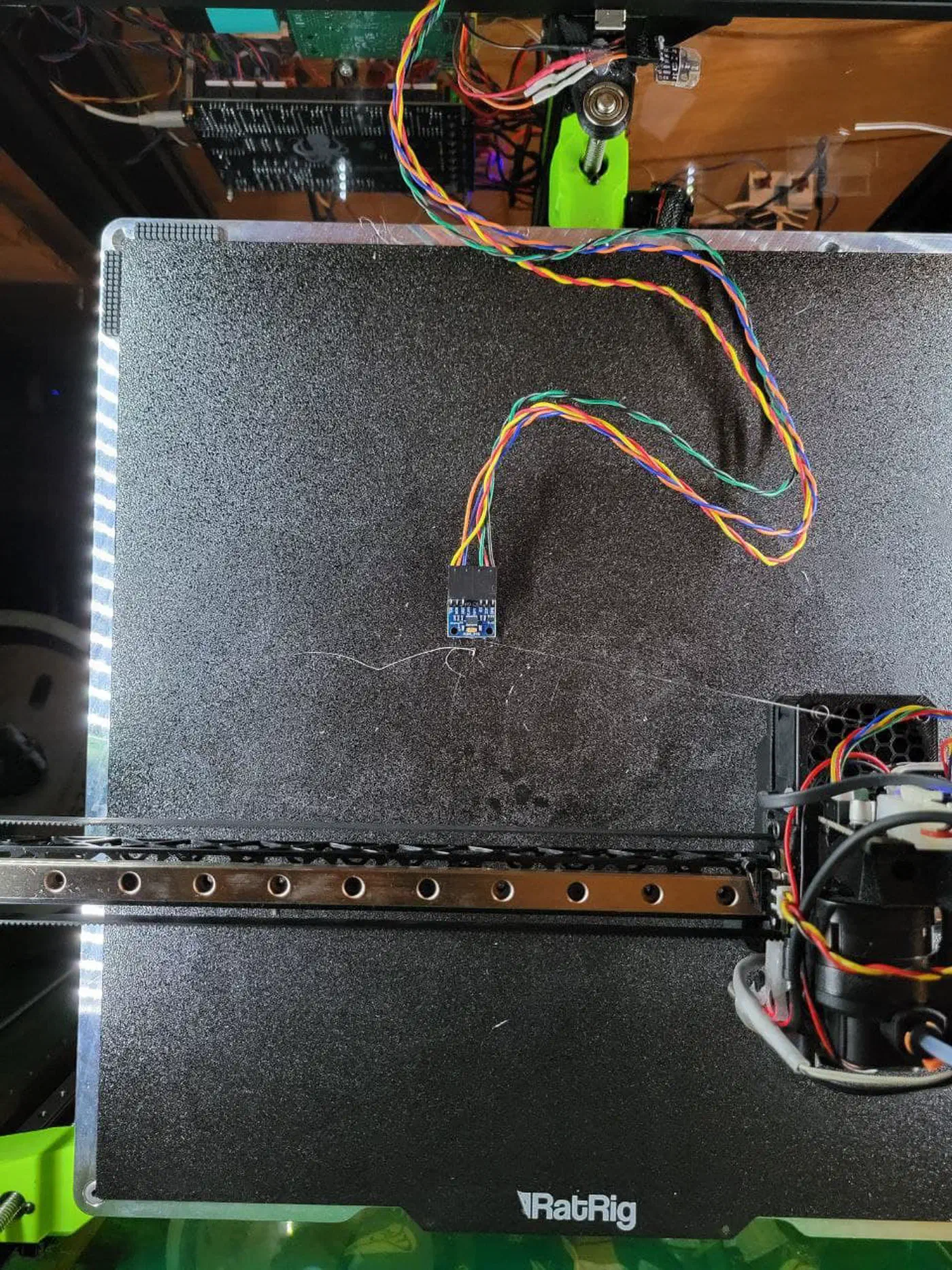
Running the test needs a little headroom on the motion limits. The default sweep asks for these values, and you can lower them again once the test finishes:
[printer]
max_z_velocity: 20
max_z_accel: 1300
The feature’s author set expectations low from the first post, and repeated it when a tester asked for before-and-after photos:
honestly, I do not expect that this will improve print quality by itself. However, users of delta printers or printers with flying gantry will be able to increase the max_z_accel and max_z_velocity and thus get faster Z movements
So the payoff is speed on the Z axis, while the surface finish stays the same. Delta printers, flying-gantry machines, and toolchangers can push Z faster without the axis ringing. If you use Z-hop, the hops get smoother and quieter, and you can push more aggressive ramping hops with less stringing.
The feature began life on dmbutyugin’s testing branch, fetched through KIAUH , with a mainline pull request planned once the community data came in. That branch is the route if you want it before it lands in a stable release.